


For all-purpose work, ChatGPT leads as the best AI app in 2026, blending reasoning, automation, and workflows into one platform. But the truth is trickier, and it’s worth digging into!
- What Is the Best AI App in 2026?
- How I Selected the Best AI Productivity App
- 1. Apps for AI Orchestration and Automation
- 2. AI Chatbots
- 3. AI Apps for Building Agents
- 4. AI Search Engines
- 5. AI Apps for Content Creation
- 6. AI Apps for Text Enhancement
- 7. AI Apps for Video Generation and Editing
- 8. AI Apps for Image Generation
- 9. AI Apps for Vibe-Coding
- 10. AI Apps for Social Media Management
- 11. Voice and Music Generators
- 12. AI Apps for Knowledge Management and Grounding
- 13. AI Task and Project Management
- 14. AI Transcription Apps and Meeting Assistants
- 15. AI Apps for Scheduling
- 16. AI Apps for Email and Inbox Management
- 17. AI Apps for Presentations and Slide Decks
- Top 4 AI Apps in the World
Here’s something most “best apps lists” won’t tell you upfront: there is no single winner. The market has exploded into a sea of possibilities, with more than 50 credible platforms competing for your attention. So instead of crowning one champion, this guide breaks the field into 17 real jobs and names the tool that actually earns its keep in each one.
What Is the Best AI App in 2026?
The best AI app is the one that solves your specific productivity problem, and for most people that’s ChatGPT thanks to its jaw-dropping functionality across writing, coding, and research. That said, the smarter answer depends entirely on what you’re trying to get done.
Artificial intelligence has changed the way we work faster and better, but the flood of new platforms creates its own headache. Chasing every shiny release with intelligent features rarely helps. What helps is knowing which category you’re shopping in first, then choosing the technology that fits.
Here’s a quick map of how the picks shake out by job:
| Job to Be Done | Standout App | Why It Wins |
| All-purpose assistant | ChatGPT | Flexible reasoning, huge integrations |
| Deep document analysis | Claude | Long-context precision |
| Sourced research | Perplexity | Cited, up-to-date answers |
| Image generation | Midjourney / ChatGPT | Quality vs. simplicity |
| Building working apps | Lovable | Idea to prototype fast |
How I Selected the Best AI Productivity App
The shortlist came from narrowing over 30 tools down to 17 through hands-on testing against real day-to-day tasks, not marketing claims. An app review team approach was used, scoring each tool on flexibility, output quality, ease of use, and whether a non-expert could get a usable result quickly.
The testing methodology leaned on practical tasks rather than benchmarks. Each app had to handle something concrete: drafting a blog post from a rough outline, building an email follow-up sequence, turning a plain-English prompt into a presentation, or debugging a broken function. Any tool that forced a changed core workflow just to function got disqualified.
How the Scoring Worked
- Real Pricing Matters: Every pick was judged on its paid tier and its usage-capped free tier, not vague promises. Some categories quietly rack up $650 in subscriptions and API credits before you notice.
- Single-Purpose vs. Generalist: Single-purpose tools that do one thing brilliantly were weighed against platforms with broad feature coverage.
- Setup Friction: Signup speed, authentication, data storage, and iteration speed all counted, especially for tools expected to be built into simple workflows.
- Deployment Readiness: For app builders, each had to produce at least one working app, like a task management tool with forms, stored data, basic logic, and sensible access control.
Because this is an ever-growing list of assistants and platforms with newly added AI features, the collection stays imperfect on purpose. It’s transparent about trade-offs so you can explore what fits.
1. Apps for AI Orchestration and Automation
AI orchestration apps connect individual tasks together so your whole tech stack works as one system instead of a toolbox full of half-used gadgets. This matters more than ever: roughly 4 in 10 enterprises now run multiple AI vendors to spread risk and gain flexibility.
The catch? Nearly 80% of current tech stacks lack an orchestration layer to coordinate those apps and data. That’s the real productivity problem. A strong orchestration hub links business data across automated systems, fires real-time triggers, and acts as a control center where you can audit activity through a single governed layer.
ChatGPT Orchestration
ChatGPT works as a natural language builder for automation, letting you describe what you want in plain words and having it configure the workflow. Say “summarize new leads and post them to Slack,” and it maps the data once your accounts are connected.
With agentic tooling and no API key required, ChatGPT can extract data, generate text, analyze information, and run multi-step actions across automated workflows. Its spreadsheet-style database lets AI teammates store, organize, and update records to track projects and leads. Through MCP and an agent harness, the chat window quietly becomes a secure engine for business-critical workflows.
2. AI Chatbots
The best AI chatbots let you ask questions and get answers in a natural conversational style, powered by a large language model that handles advanced reasoning, logic, code, and even mathematical calculations. ChatGPT remains the industry leader, but the runners-up each have a clear edge.
What Is the Best AI App for Chatting?
For chatting, ChatGPT is the best AI app overall, though Claude wins for safe, thoughtful conversations and Meta AI wins for casual social chat. The right pick depends on whether you want flexibility, careful reasoning capabilities, or a standalone assistant that lives where you already talk. Look for persistent context, voice mode, role-play for customer objections, and true multimodal input in whatever you choose.
ChatGPT (Chatbot)
ChatGPT was the first chatbot to set the scene on fire, and it stays the industry leader because it’s surprisingly flexible and easy to use. It juggles marketing copy, market research, and sales emails while connecting to thousands of apps to orchestrate workflows across every stage of operations.
The GPT-5.5 Instant model is fast, intelligent, and intuitive, making it a genuine co-pilot for drafting copy, debugging code, building outlines, or parsing a spreadsheet. Many treat it as a second brain for meeting notes, cold emails, and role-play around customer objections in sales training. It handles images, charts, and voice inputs, and a custom GPT can act as a ghostwriter loaded with your resources, guidelines, and writing style.

Its toolkit is deep: a code interpreter, data analysis, file uploads, real-time web browsing, image understanding, and voice mode. It can fact-check, interpret code, read files, and turn a CSV into a bar chart, though prompt clarity still shapes the direction of results.
- Free plan: Available with limits
- Go: $8 per month
- Plus: $20 per month
- Pro: $100 per month
Claude
Claude is the safe, creative chatbot built for deep reading, summarizing, and careful analysis, with standout strength in long contexts up to 200k tokens. It’s the pick when precision beats speed.
Its Artifacts feature can code interactive interfaces, write documents, or design games in a separate tab, showing prompts on the left side and output on the right side. With strong reasoning capabilities, Claude shines at contract analysis and structured writing, and you can hand it entire files for multi-document reasoning. Feed it a contract and it will spot a termination clause, summarize objections, and cite specific phrases with precise, usable results.
The newer Cowork mode works alongside you on multi-step tasks, reading files and producing work in a thoughtful, calm, considered way. For a thought-leadership LinkedIn post, it can match writing style and deliver a neutral tone first draft. Its conservative, reserved nature suits internal documents and policy updates, though it can feel overly cautious with fewer plug-ins.
- Free plan: Capable, with limits
- Pro: $20 per month
- Max: $100 per month
Backed by enterprise-grade security, API access, strong memory, and context retention across entire books, Claude is the analytical workhorse.
Meta AI
Meta AI is the standalone assistant baked into social apps used globally, running on Meta’s latest LLM. It’s the most convenient chatbot for people who live inside messaging.
You can talk in conversations, tag it in chats, and ask it to generate images or edit images, all with context that produces richer responses inside the social ecosystem. The trade-off is real, though: privacy red flags exist because it may use your social data and private messages to tailor responses and train models once you sign in.
3. AI Apps for Building Agents
Agent builders put AI to work by taking action, connecting to apps, and automating complex workflows across your tech stack. Unlike chatbots that only respond, AI agents behave like teammates, managing your inbox or orchestrating business processes on their own.
Agent builder software uses agentic tooling and reasoning so agents can be triggered by events and autonomously execute tasks to achieve a goal. With access to 9,000+ apps and a solid agent harness, a personal AI assistant can triage your inbox, book a meeting, and update a CRM. Handing an agent the keys to your work tools means it handles recurring tasks through true agentic workflows, provided you keep sensible control.
Botpress
Botpress is the agent builder built for developers who want serious bots, with rich documentation to back them up. It’s the deepest option when off-the-shelf assistants aren’t enough.
Using prompts, knowledge bases, tools, and multiple communication channels, teams create custom agents for customer chats or internal workflows. Its visual builder, data management, and integrations let you drop an AI concierge onto a website without wiring everything by hand.
4. AI Search Engines
AI search engines fix the biggest issue with chatbots: hallucinations. In one survey of 1,100 enterprise AI users, 52% named hallucinations their top concern, especially for fact-finding.
The fix is an AI search engine, or AI search assistant, that runs live web searches, pulls real results, and shows its sources behind every AI-generated answer. That grounding is what makes these tools trustworthy for research.
Perplexity
Perplexity leads the pack for high-quality answers because it quotes sources, stays on topic, and invites smart follow-up questions using proprietary ranking signals. It’s the best default when you need reliable info fast.
Beyond classic search, it handles tricky topics and niche things, and its integration with thousands of apps turns it into an orchestration layer for daily workflows. Ask it to pull industry news and it builds an executive summary with key takeaways and suggested actions ready for a leadership team on Slack. As a research partner, it delivers the right links in plain English, up-to-date stats, and credible sources it cites in line.
Its Deep Research mode scans dozens of sources into a structured report in 10-15 minutes, perfect for reading-heavy tasks. You also get real-time web results, in-line citations, persistent context, file upload, and image upload across iOS, Android, and browser extensions. The trade-off: it can oversimplify and offers fewer customization options.
- Free plan: Free daily access to Pro models
- Pro: $34 per seat per month
- Max: $271 per seat per month
Komo
Komo gives you control with a simple, fast interface where you pick an AI model and a search persona, like explainer or equity researcher. It’s the ambitious underdog for tailored research.

It offers standard AI search, a deep research mode, and traditional search across the web, academic papers, and your uploaded data. Its Perspective Pulse feature gauges general consensus on a topic. The results can land off-base at times, but it’s clearly headed in the right direction.
Brave
Brave is the privacy-first browser with an AI-powered search engine that blocks ads, trackers, and internet nonsense. It’s the pick for anyone who values privacy above all.
Its AI answers appear as generated summaries at the top of results, with accurate answers cited properly and room for follow-up questions. Best of all, it does not track your searches or build a creepy profile for hyper-personalized ads based on the words searched.
5. AI Apps for Content Creation
AI content creation apps beat writer’s block by turning prompts, templates, and recipes into first drafts faster. Think of these AI writing generators as a co-writer that gets you past the blank page using capable AI models.
Jasper
Jasper is the powerful content creation platform built for high volume, packed with dozens of templates that connect to the internet for research and sources. It’s the enterprise pick for marketing teams.
With integration to thousands of apps and multi-step workflows, teams generate tailored ad copy and campaign briefs, route drafts for approval, then push final assets to a CMS or DAM system. This AI software keeps output on-brand thanks to Brand Voice, where you feed examples of tone and messaging so emails, blog posts, and social copy match your style. Give it a blog post outline and it returns a solid draft needing only light edits.
- Pro: $69 per month per seat
- Business: Custom pricing
- Trial: 7-day trial
Its clean interface, prebuilt workflows, SEO mode, plagiarism checker, team collaboration, version control, and CMS integrations make it complete, though it can feel pricey and a bit rigid for small teams.
Anyword
Anyword guides marketers through content creation step by step, making the generation process feel approachable. It’s the friendliest option for advertising and social media copy.
From a single prompt it can generate titles, and once you pick a favorite it builds a generated outline you can tweak before it covers the final piece.
Writer
Writer is the brand-safe AI writing platform built for big businesses that can’t afford missteps. One misplaced fact or inaccurate claim can hurt brands, damage reputations, or even land a company in court, and Writer exists to prevent that.
Using proprietary LLMs, it keeps content true to your brand voice and consistent across teams, so publishing at scale delivers a productivity boost with fewer risks in the gray areas where generic LLMs stumble. Feed it a campaign brief and it produces channel-specific copy that respects your brand guidelines and style rules, then routes work to legal for approval and can translate for regional markets before final assets ship for compliance.
6. AI Apps for Text Enhancement
AI text enhancement apps go far beyond spell-checking, catching spelling errors, basic structure errors, tone problems, and complex language, then offering suggestions for clearer writing. These grammar checkers are the quiet upgrade every writer needs.
Grammarly
Grammarly is the mainstream choice that grew from a spell-checking app into a complete structure-checking solution. It keeps your English on point wherever you type.
It can adjust tone, suggest shortcuts for wordy phrases and complex phrases, and works through extensions and integrations in nearly any text box, now with generative text features layered on top.
Wordtune
Wordtune focuses on wording alternatives to improve text you’ve already written. It’s the rewriting specialist rather than a generator.
Paste your input text and it lets you browse synonyms, rewrite sentences, and adapt suggestions until your final draft sings, with handy shortening and expanding content options.
ProWritingAid
ProWritingAid is the competitor packed with statistics for writers who love data. It’s the pick for long-form and creative writing.
It tracks grammar, style, and spelling scores in depth, and its lifetime plan means no recurring bill, a rare and welcome comparison point.
7. AI Apps for Video Generation and Editing
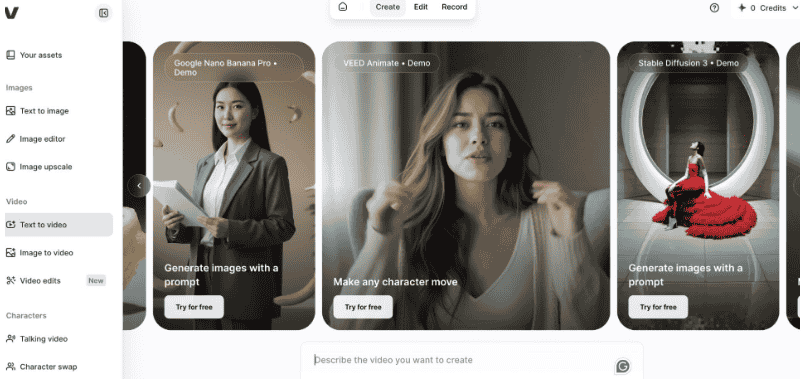
AI video apps split into two camps: video generation that creates footage from scratch, and video tools that enhance video by removing backgrounds or painting new images onto each frame. AI video generators have leapt forward, but editing tools remain just as valuable.
Runway
Runway is the video magic wand that can generate video, train models, and paint parts of frames from text prompts. Its Gen-4 model is a big step up for creators.
Feed it visual references and instructions, and it produces new images and videos with consistent styles and locations. There’s a learning curve, but it’s rewarding and growing fast. With integration to thousands of apps, you can orchestrate workflows: draft a video idea, refine the prompt, then notify your team on Slack for review, streamlining film-making.
Descript
Descript flips editing on its head by letting you edit video like a text document. It transcribes videos into a script on a timeline, so cutting a sentence trims the video automatically, no waveforms required.
- Hobbyist: $24 per month
- Creator: $16 per month annually
- Business: $35 per month
- Enterprise: $65 per month
It’s ideal for talking head videos, podcasts, and webinar recordings, letting you repurpose interviews or make YouTube intros. Overdub can clone a voice to insert missing words or fix mistakes. With screen recording, webcam capture, narration, motion graphics, multi-track editing, automatic transcription, and speaker labeling, it’s a fast cleanup tool for solo creators and marketers, though large files can turn glitchy.
Google Veo 3
Google Veo 3 turns a simple prompt into a cinematic shot, like a golden retriever in a field at sunset, rendered as high-quality, fully rendered video. It’s the most impressive text-to-video app for realism.
It nails camera movement, lighting, and emotion, and while AI quirks like the uncanny valley or objects that morph mid-frame still appear, the stunning realism often looks like actual footage. Beyond crisp cinematic visuals, it can compose soundtracks, generate dialogue from a script, and handle lip sync, making it a true filmmaking app for building scenes and remixing videos.
8. AI Apps for Image Generation

AI image generators turn a text prompt into a beautiful image, and results range from mind-blowing to nightmare-inducing, entertaining, and genuinely useful. An image really is worth a thousand words when the right generator nails your vision.
What Is the Best AI App for Pictures?
For pictures, Midjourney delivers the best stunning visual quality, while ChatGPT is the simplest way to natively generate images with no settings. Ideogram wins when you need accurate text inside an image. Your choice hinges on whether you prize aesthetic control and artistic images or speed and accuracy with easy tweaks to one element.
ChatGPT (Image Generation)
ChatGPT can natively generate images and ranks among the best image generators for sheer simplicity. There are no settings, sliders, or extra prompts needed to fine-tune the vibe.
It uses autoregression, thinking things through, which means slower generation times but increased accuracy and control. It takes feedback well, letting you tweak one element without redoing the first try, and can even automate image creation from form responses or CRM data.
Midjourney
Midjourney produces impressive, incredible results and sits at the top for artistic quality, though prompts can occasionally land off the mark. You now generate right in the browser, no Discord required.
It’s a favorite among generative AI tools for a designer’s portfolio, mockups, mood boards, pitch decks, and product concept work, delivering sharp, detailed, artistic images. Its web app is easy to use with a smooth prompt flow: type “futuristic office with glass walls at sunset, ultra-realistic style, cinematic lighting” and get four high-res options in about 30 seconds, ready to upscale or re-roll the batch.
- Basic: $10 per month
- Standard: $30 per month
- Pro: $60 per month
- Mega: $120 per month
It excels at polished, stylized visuals with a moody, editorial feel for branding, storytelling, concept design, blog headers, client presentations, ad mockups, and video storyboards. The downside: very literal prompts can produce inconsistent results or missed details. For creative work and concept art, its prompt-based generation, photorealistic output, remix and variation tools, and control over aspect ratio, style, and resolution stand out, and both personal license and commercial license options exist. Recent gains in multi-image consistency, text rendering, and typography round it out.
Ideogram
Ideogram is the image model that finally cracked drawing letters, producing accurate text inside good-looking images. It’s the pick when typography can’t be wrong.
With solid quality, aesthetic control, and a built-in image editor, it handles logos and posters where other tools fumble. You get 10 daily free credits on the free plan, and generations can be public.
9. AI Apps for Vibe-Coding

Vibe-coding tools let anyone with a good prompt and a little curiosity turn ideas into working apps, websites, and software while AI handles the heavy lifting behind the scenes. This is the fastest-growing category for non-developers in 2026.
What Is the Best AI App for PC?
For building on a PC, Lovable is the best AI app because it takes you from idea to a working app in the browser, no code editor required. It runs anywhere on Windows or macOS with no local setup, which is why it beats a traditional AI-native IDE for most people. If you need more control over integrations and backend management, Bolt is the stronger desktop-style choice.
Lovable
Lovable makes the design process smooth with an intuitive interface that moves you from idea to working prototype without touching technical details. On the first prompt, it sketches an app plan before writing a single line of code, and it explains each change so the process stays transparent and educational.
This vibe-coding app builder turns plain-English prompts into full-stack web apps you can click through, test, and actually use, complete with a real backend, cloud hosting, and database setup. Iteration is fast because it rebuilds only the relevant part, though heavy API integrations, business logic, and webhook work can get expensive and complex on credits.
- Pro: $25 per month
- Business: $50 per month
- Enterprise: 100 monthly credits, 5 daily credits on free
It’s great for validating an idea or spinning up an internal tool, and while it’s not fully production-grade for deep security and reliability needs, it ships a React frontend with Supabase authentication, databases, and hosting. Build a basic CRM with real data models, core features, and a polished UI, then deploy instantly to a cloud environment with GitHub sync, multiplayer collaboration, and code export, making it ideal for MVPs, SaaS apps, indie founders, and product teams who want to review and maintain code.
Bolt
Bolt is arguably the easiest to get started while giving you more control and flexibility than most builders. It’s the pick for people who want to peek under the hood.
It connects to Supabase for backend management, GitHub for version control, Stripe for payments, and Figma to turn a design prototype into coding. A built-in terminal, access to generated files, fine-grained AI editing rules, and a clear upgrade path make it great for experimentation that grows into a production-ready app.
10. AI Apps for Social Media Management

AI social media management tools help you juggle a dozen balls at once: images, videos, and text for an engaging audience, plus reports, all posted consistently. They turn a chaotic calendar into a repeatable system.
FeedHive
FeedHive is the smart strategy tool built around content repurposing, perfect for reaching a newer audience without constant lightbulb moments under pressure. It’s the pick when creating new content feels relentless.
Its AI-powered content recycling lets you swap the admin hat for the creative one, and with integration and automated workflows, a single trigger can sync social activity or handle conditional posting.
Flick
Flick tackles the never-ending chore of feeding social channels with on-brand posts. Its AI content assistant helps you brainstorm, draft, and polish posts across platforms, banishing the blinking cursor.
It generates post ideas with detailed content ideas and tips for execution, then helps you repurpose posts using scheduling tools and a visual social calendar.
Buffer
Buffer layers AI features onto a beloved social media platform, sharpening your message to match each channel’s engagement style. It’s the simplest on-ramp for consistent posting.
When you create a new post, a side tab suggests copy matching channel requirements, letting you customize tone and length or expand with AI. With schedule publishing plus integration to thousands of apps, it becomes an AI-orchestrated system pushing campaign assets to multiple channels, then feeding performance data back through its analytics tool for tailoring posts.
11. Voice and Music Generators
AI voice and music generators give YouTubers and social media creators original assets for their content without hiring a studio. AI voice generators handle narration while AI music generators create and remix tracks on demand.
ElevenLabs
ElevenLabs is the flashiest AI voice generator, delivering high-quality output and a sound effect generator with over 300 voices modeled on real-world personalities. Its $1B valuation reflects a clear lead in AI-generated speech quality.
Its clear, engaging voices rival professional voice actors, and with integration you can automate workflows: pull a finalized script from Google Docs, generate narration, then drop the audio file into Dropbox. It’s the clear leader for dubbing thanks to natural sound and genuine emotional range, plus voice cloning that only needs a short sample. Record a short clip and its cloned voice can narrate a training video with matched pacing and tone, even powering a multilingual dub pipeline in the original speaker’s voice.
- Free plan: Available
- Starter: $6 per month
- Creator: $22 per month
- Pro: $99 per month
Its conversational agent builder can spin up a voice bot for support or scheduling calls with real-time interruption handling, text-to-speech in dozens of languages, and professional voice cloning, though a tight budget can burn through characters and agent minutes fast on high-volume work.
Hume
Hume stands out for emotionally nuanced reads that dodge the flat AI monotone. Beyond preset AI voices, you can design your own voice from a text prompt.
Switch accents, rhythm, and texture using descriptors like “deep and resonant” or “bright and energetic,” then fine-tune the sound until it feels organic. Its conversational agent can measure emotions like joy, excitement, or confusion, and its voice engine will mirror and respond to tone, which is surprisingly effective. With integration, incoming voice clips from form submissions can trigger voice responses on support tickets alongside emotion analysis data.
Speechify
Speechify is the reading assistant that turns text into audio so you can listen to articles, emails, or a marketing plan while driving or on a walk. It’s the most entertaining way to consume blog posts aloud.
It can generate voices, download voices for projects, and customize output, letting you tweak speed, pitch, volume, and pronunciation, plus insert pauses for timing. For slide-based videos, it can sync narration to visuals, add background music, and export the finished piece.
12. AI Apps for Knowledge Management and Grounding
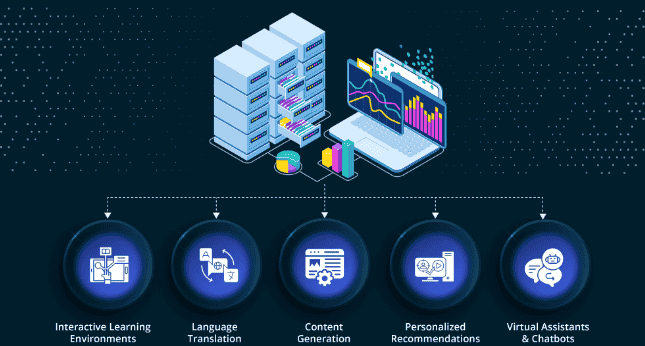
AI knowledge management apps act as a powerful search tool over your personal data, turning your workspace into a true second brain that returns a natural language answer instead of leaving you sifting through notes. Grounding is the secret: the AI model stays close to your facts, which slashes hallucinations.
Mem
Mem lets you tag and connect notes for effortless organizing, gathering information so everything stays stored, connected, and organized. It’s the pick for people who hate manual filing.
Search anything through automatic tags or the search bar to surface the exact topic that matters, and make it actionable by turning emails into mems. Set pre-set criteria and it delivers a summary to your team on Slack.
Notion (Knowledge Management)
Notion is the strong workspace for organizing knowledge, though it rewards the disciplined, since pages can fall through the cracks. Grounded on your data, its AI generates answers and points to sources, so a lost insight from a meeting years ago resurfaces in seconds.
With integration and AI-orchestrated workflows, it can sync business processes: create a new task, draft a project brief, and alert the team it’s ready for review. Because it bakes AI into docs, wikis, and project pages, you stop switching tools and pasting between tabs, which helps you think faster and draft cleaner.
Where Notion Shines
- Organizing a Mess: Summarize meeting notes, clean up brainstorming, and produce first-draft outlines that are context-aware.
- Better Writing: Highlight text to improve writing, or turn scattered research notes into action items, key takeaways, and a clean list that saves time.
- A Complete Content Tool: From a blog writing stack to in-line AI writing, editing, summarization, task list generation, action item extraction, and Q&A across databases.
- Free plan: Available
- Plus: $12 per member per month
- Business: $24 per member per month
- Enterprise: Custom
It’s strongest for planning and long-form content, though its formatting controls can feel repetitive across brainstorming, notes, and calendars.
Evernote
Evernote is the veteran for capturing a new idea while your fingers move fast, even if it reads like you typed during an earthquake. Its AI cleanup tool handles fixing typos, summarizing rambles, and reformatting a note.
Turn a rough note into an email or social post, scan PDFs and images to pull text whether handwritten or typed
whether handwritten or typed. Ask it questions, and it turns messy captures into tasks, calendar events, summaries, and to-dos. It can even pull meeting details into a cohesive snapshot, so you automate the routine work of saving meeting notes, organizing research, and setting reminders.
13. AI Task and Project Management
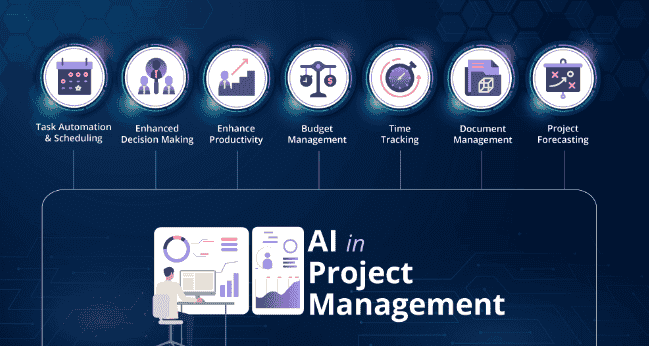
AI task and project management apps take a good plan and make collaboration and execution feel effortless, giving your team clarity while the AI optimizes processes so you can finally cross things off your list. These project management tools shine when the work gets messy and deadlines stack up.
Asana
Asana is the project management heavyweight that layers AI-powered features onto a platform teams already trust. It reads your historical data to set smart goals and flag trouble before it derails a quarter.
Its AI can spot project risks and workflow blockers early, then hand you clear answers and better visibility into what’s actually happening. Multi-step workflows make it hum: a tagged message in Slack or a new Airtable record can trigger Asana to summarize, categorize, and update a task automatically. That means less status-chasing and more real progress!
ClickUp
ClickUp is the one-stop workspace that folds dashboards, chat channels, docs, and AI tools into a single home. Its AI assistant helps you navigate the workspace and summarize information in seconds.
Curious who created this task, or which tasks mention a specific URL? Just ask. ClickUp’s AI teammates handle recurring work, spin up daily reports, and update task properties across custom workflows. On an upgraded tier, it connects to your other work apps, pulling live data from your tech stack through integration, so you can create tasks out of Slack messages, sync updates, and keep the whole inbox moving.
Hive
Hive stands out with its Project-from-a-Prompt feature, which turns a single sentence into a full project plan complete with phases, timelines, and task lists. It’s the fastest way to go from a fuzzy idea to a mapped-out project!
Its project generator and AI helpers can generate content, add tasks, translate, and edit text right when and where you need it. Once your project is mapped out, Hive can automate updates, reminders, and follow-ups, and it plays nicely with your favorite apps.
14. AI Transcription Apps and Meeting Assistants

AI transcription apps and meeting assistants free you from taking notes during calls, which quietly reduces your focus, by turning voice into text you can browse later. The best ones let you stay present in meetings, then analyze the transcription afterward for anything you missed.
Fireflies
Fireflies is the meeting assistant that transcribes meetings while tracking conversation topics with a friendly bot. It joins your call, summarizes contents, and generates text you can search later by simply asking a “meet query.”
Thanks to integration with thousands of apps, it becomes real meeting intelligence for downstream processes. From a single meeting transcript, it can extract action items, create tasks in your project management app, and surface opportunities for your CRM, all while boosting collaboration through topic tracking.
Avoma
Avoma goes beyond transcribing to analyze what happens above, below, and around your words. It’s the pick for teams that want to coach performance, not just keep records.
It serves up speaking stats like filler word count, monologues, and talking-to-listening ratios, plus the topics discussed and any pressing issues. Its AI scoring tools help a sales team improve with concrete meeting insights. Through AI-orchestrated workflows across your tech stack, Avoma can analyze a transcript, map next steps, send tailored follow-up emails, and notify the product team about strategic priorities, turning raw conversation analytics into action.
Granola
Granola automatically transcribes, summarizes, and analyzes calls through a clever live notepad. You type your own thoughts, and it fills in the blanks with extra context from the transcript, so nothing slips away.
Here’s the neat part: Granola does not join calls with meeting bots. Instead, it captures audio directly from your device, works alongside your video conferencing tool, and can even transcribe phone calls. Its roadmap includes an iPhone app for in-person meetings. It plays nicely with orchestrated AI systems too, so it can analyze sentiment, post call notes to your workspace, and keep the whole team collaborating.
15. AI Apps for Scheduling
AI scheduling assistants take the trouble out of the endless back and forth of setting up meetings, protecting your calendar so you can start tasks on the marked date instead of hopping on meetings all day. They quietly guard your time so real work gets done.
Reclaim
Reclaim is the scheduling assistant built around protecting your habits, whether that’s weekly fitness objectives or reading targets. It defends your time so you can actually complete tasks.
It works by rearranging your schedule intelligently, and thanks to integration, your calendar plays nice with the rest of your workflow. You can create tasks, block time for goals and priorities, and keep everything in sync, no more dragging events by hand!
Clockwise
Clockwise is better for teams and can save you roughly one hour per week from the moment you start using it. Adjust a few settings to describe your ideal day, and it goes to work.
It balances work, breaks, and meetings into a smoother rhythm, even carving out a one-hour break where you need it. Its real magic is syncing team calendars into genuine harmony, so the whole group finds focus time together.
Motion
Motion blends project management with scheduling by keeping track of your tasks and their priority, then using its AI engine to land each one on your calendar. It automatically places tasks around your existing commitments.
This lets you scale task creation and scheduling across departments. A Slack request or an email request becomes a scoped task, slotting into your calendar based on availability. With built-in project tracking tools, everything stays prioritized, so you can wave goodbye to manual scheduling!
16. AI Apps for Email and Inbox Management
AI email assistants win back the roughly one month per year the average person loses to a work email inbox, by helping you categorize messages, draft replies, and stay up to date. If email is driving you away from work that actually moves things forward, these tools cut admin time fast.
Shortwave
Shortwave packs plenty of AI features into a single app, and it’s arguably the top dog for pure email management. Generating emails and summarizing threads is its bread and butter.
It also handles scheduling events through natural language and offers deep inbox search, so AI responses draw from your real history. Managing several accounts and searching email history feels effortless here.
Microsoft Copilot Pro for Outlook
Microsoft Copilot Pro for Outlook brings the tech giant’s AI feature package straight into the 365 suite, giving you intelligent tools right inside your email. Think of it as an email buddy that keeps everything tidy.
It excels at summarizing a thread with sources so you can jump to the right messages and see where an email will land. Its Coaching by Copilot feature analyzes tone, content, and structure to make your writing clearer and more empathetic. Because it lives in a larger workflow, it can extract order details from purchase confirmations, update inventory records, and push shipping updates via SMS across Word, Excel, Outlook, and Teams. It’ll spin up an executive brief, a spreadsheet formula, or meeting recaps, though the output can feel generic and formulaic, so safe drafts often need heavy editing on a first pass. Copilot Studio even lets you build custom agents for action items, backed by enterprise security and compliance.
Pricing:
| Plan | Price |
| Personal | $9.99 per month |
| Family | $12.99 per month |
| Premium | $19.99 per month |
Note that you’ll need a qualifying Microsoft 365 base license, with Copilot available as an add-on.
Gemini for Gmail
Gemini for Gmail is the Gemini add-on woven throughout the Workspace suite, surfacing AI features from a simple star icon in your inbox. Tap it for contextual actions like summarizing threads or tracking orders.
It can summarize a conversation, generate a reply in a side tab, and pull search results with sources. For end-to-end workflows, it’ll scan customer feedback, log insights, and build summary reports to keep your team aligned on emerging issues. Across Gmail, Docs, and Sheets, it drafts emails, summarizes Doc threads, and builds formulas from a plain-English description. Its Deep Research feature delivers a multi-source summary with citations, and it accepts multimodal input like screenshots, PDFs, and short videos. The catch? Replies can feel less expressive, flatter, and a touch literal, and it sometimes over-hedges. The consumer app also differs from the Workspace version, which adds Calendar and a large context window.
Pricing:
| Plan | Price |
| AI Plus | $4.99 per month |
| Pro | $19.99 per month |
| Ultra | $99.99 per month |
17. AI Apps for Presentations and Slide Decks
AI presentation makers give you a beautiful slide deck with clean slides in a fraction of the time it takes to build one from scratch. Since not everyone has magnetic stage presence, a solid slide deck keeps your audience engaged and drives your points home, and these PowerPoint alternatives save you a serious chunk of time!
Canva
Canva is the Swiss Army knife of design platforms, and its AI tools can generate a full presentation from a single prompt, fully formatted and ready to edit. It’s the friendliest starting point for anyone who isn’t a designer.
Inside its familiar design workspace, you can rearrange layouts, tweak text, and drop in icons or videos with simple drag-and-drop. Ask its AI to generate or improve text, create images, or give in-context feedback on color changes and layout tweaks until your slides shine. Through integration, it can automate design workflows too, building presentations from spreadsheet entries, uploading assets, or kicking off projects straight from form submissions.
Beautiful.ai
Beautiful.ai truly delivers on its name’s promise by simplifying the whole process, since it already has the layouts and styles figured out for you. You just pick colors and choose from a library of royalty-free images.
The result is a polished presentation without the fuss. It’s especially handy when your data changes frequently, because sliders, tables, and values update dynamically, so your charts always reflect the latest numbers.
Gamma
Gamma creates visually cohesive presentations that feel like they belong in a whole different decade compared to tired old templates. You define the target audience, tone, and aspect ratio, and its AI generation tools handle the rest, from decks to landing pages and documents with genuine design-first polish.
Feed it a prompt, an outline, or pasted content, and it builds a polished presentation, webpage, or multi-page document through slide-by-slide design. A content brief becomes a presentation deck with logical flow, smartly picked layouts, and supporting visuals in minutes. With one click, it’s ready to share or export, and its Smart Charts turn a data table into a usable visual. Through integration, it can generate presentations from spreadsheets and meeting notes, giving you formatted decks with no designer required!
Pricing:
| Plan | Price |
| Free | $0 (caps generations) |
| Plus | $12 per seat per month (1,000 monthly credits) |
| Pro | $25 per seat per month (advanced AI image models, API access, custom branding) |
| Ultra | $100 per month |
The free plan caps generations and adds branding to exports, so client-facing work usually needs a paid tier. You’ll love its AI-native templates, one-click content remixing, connectors, and clean PowerPoint export, though it trades away some pixel-level control over layout.
Top 4 AI Apps in the World
The top 5 AI apps in the world right now are ChatGPT, Claude, Perplexity, Jasper, and ChatGPT’s automation layer for orchestration, each winning a different job in your daily workflow. Together they cover reasoning, analysis, research, marketing content, and automation, which is why they consistently rise to the top of any serious list. Here’s the quick version before we dig in!
| Rank | App | Best For |
| 1 | ChatGPT | Generalist AI assistant with flexible thinking |
| 2 | Claude | Long-document reasoning and analysis |
| 3 | Perplexity | Research with citations and search |
| 4 | Jasper | Content creation platform for brand voice |
ChatGPT — The Best Generalist AI
ChatGPT takes the top spot as the all-purpose AI assistant, blending flexible thinking, coding, voice, and visuals into one place. It’s the tool most people reach for first because it does a bit of everything genuinely well.
From all-purpose writing to custom GPTs tuned to your style, it adapts to whatever you throw at it. Whether you’re drafting, analyzing, or brainstorming, its reasoning keeps up, making it the natural anchor of any AI toolkit.
Claude — Best for Deep Analysis
Claude earns second place as the go-to for long-document reasoning and careful analysis. When you need to think through a dense contract or a big report, it’s the calm, precise choice.
Its strength in analysis and research makes it perfect for work where accuracy matters more than speed. Hand it a stack of files and it reasons across all of them, which few tools do so gracefully.
Perplexity — Best for Sourced Research
Perplexity claims third as the AI search assistant built for research with citations. Every answer comes with source links, so you can trust what you’re reading.
It shines at search and quick, fact-checked answers, making it the research partner you’ll lean on when getting things right actually counts.
Jasper — Best for Marketing Content
Jasper rounds out fourth as the content creation platform made for marketing content at scale. It keeps your brand voice consistent while boosting creative output across every channel.
For teams pumping out campaigns, it’s the reliable engine behind on-brand copy that still sounds like you.