

Yes — Chatbase AI is one of the strongest no-code AI agents for sales and support in 2026, especially for businesses that want fast deployment across chat, email, voice, and messaging without a heavy technical setup. Its standout strengths are ease of use, omnichannel coverage, AI actions, and built-in help desk workflows, while its main drawbacks are pricing complexity, limited visual flow-building, and some plan-based limits.
- What Should You Know About Chatbase AI Before Choosing It in 2026?
- What Is Chatbase AI and How Does It Work?
- What Is Chatbase AI Best For?
- How Is Chatbase AI Rated in 2026?
- What Are the Biggest Benefits of Chatbase AI?
- What Are the Main Drawbacks of Chatbase AI?
- What Features Does Chatbase AI Offer?
- How Do You Build, Test, and Launch a Chatbase AI Agent?
- What Can You Train Chatbase AI On?
- Which AI Models Does Chatbase AI Support?
- Can Chatbase AI Take Actions and Follow Procedures?
- How Do Backstage, Playground, Suggestions, and Chat Logs Work?
- Does Chatbase AI Include a Help Desk and Human Handoff?
- What Integrations Does Chatbase AI Support?
- Where Can You Deploy Chatbase AI?
- Can Chatbase AI Help With Lead Generation and Revenue Growth?
- What Analytics Does Chatbase AI Provide?
- Is Chatbase AI Secure and Compliant?
- Which Industries and Teams Is Chatbase AI Best For?
- What Real Results and Case Studies Support Chatbase AI?
- How Much Does Chatbase AI Cost in 2026?
- What Should You Know About Chatbase AI Plans and Availability?
- What Are the Best Chatbase AI Alternatives?
- What Types of Customer Requests Can Chatbase AI Handle?
- What Quick Product Details Matter About Chatbase AI?
- What Is Chatbase?
- What Languages Does Chatbase AI Support?
- What Data Can Train a Chatbase AI Agent?
- How Fast Can You Get Started With Chatbase AI?
- Can Chatbase AI Integrate With Existing Tools?
- How Do Chatbase AI Message Credits Work?
- Is Chatbase AI Free?
- Is Chatbase AI Safe?
- Does Chatbase AI Use ChatGPT?
- Is Chatbase AI Legit?
- Who Are Chatbase AI’s Main Competitors?
- Is Chatbase AI GDPR Compliant?
What Should You Know About Chatbase AI Before Choosing It in 2026?
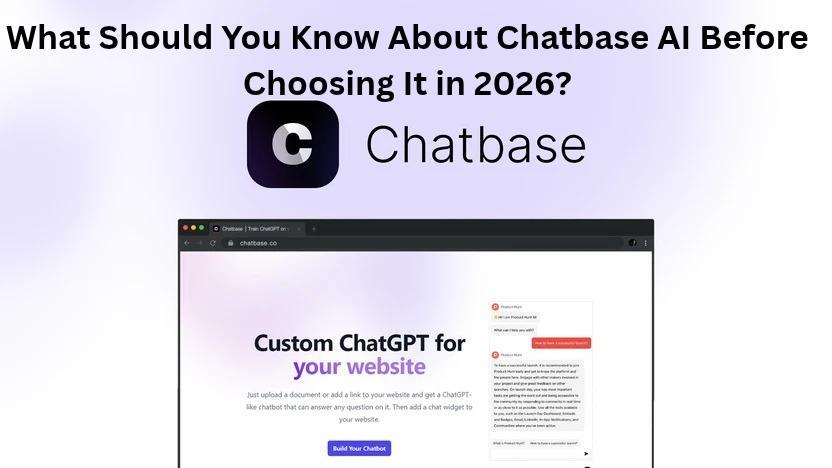
Chatbase AI is best understood as a customer service and sales platform built for teams that want conversational automation without the usual implementation drag. In my view, the important thing is not the headline claim, but the mix of support, product-guidance, actions, guardrails, and helpdesk workflows that shape real usage.
The market context matters. The broader question has shifted from whether companies should adopt AI to which system fits real buyer needs, daily operations, and long-term adoption. That makes evaluation less about hype and more about whether the solution aligns with the team’s actual intent, context, and workflow landscape.
A practical read of Chatbase review content also shows a clear pattern: strong early value, easy setup, and useful conversations, but a few notable tradeoffs around pricing, advanced logic, and scaling expectations. For teams managing fast-moving support or sales requests, that balance is often acceptable.
What Is Chatbase AI and How Does It Work?
Chatbase AI is a builder that lets users create a custom chatbot trained on business content such as documents, websites, custom-text, and connected tools. The platform works by taking your uploaded data, mapping it into an answer system, and then returning responses through chat, email, or other channels.
The practical appeal is that Chatbase ai chatbot creation does not depend on extensive coding. A team can connect a website, paste URLs, add Notion pages, connect Zendesk, and go live in minutes. That is why it keeps showing up in Chatbase co conversations and Chatbase login searches from operators who want a quick build path.
Under the hood, the platform positions itself around AI-driven agents, language processing, and deployment for customer interactions. For many customers, the value is simple: the system can answer questions, process order or appointment requests, and collect leads from your own trained knowledge base.
What Is Chatbase AI Best For?
Chatbase AI is best for customer-facing sales, support, and product guidance across messaging channels where fast answers matter more than deeply branched logic. The strongest use cases include customer service, repetitive support requests, light automation, and guided product conversations.
On the support side, the system can resolve complex queries across live-chat, email, phone, and Slack, while the product-guidance-agent angle helps brands present a clearer, more on-brand voice. In a practical rollout, that means fewer repeated questions around billing, subscription, shipping, and product discovery.
On the sales side, the sales-agent framing is straightforward: engage prospects, answer product-questions, guide conversations toward-revenue, and capture names or details for follow-up. Where this becomes useful is in lead handling tied to Shopify, Stripe, Calendly, or Cal.com, where conversion support can happen without a human stepping in first.
How Is Chatbase AI Rated in 2026?
Chatbase AI is rated well for ease, accessibility, and speed, but more modestly for advanced workflow depth, support responsiveness, and long-term scale. The interesting part of the snapshot is not one score, but how the criteria split between quick wins and operational limits.
| Rating Area | Score / Signal | What It Suggests |
| Ease of use | 4/5 | A clean, approachable platform with low-friction onboarding |
| Features | 3.5/5 | Strong core features, but less depth for advanced workflow logic |
| Pricing value | 3/5 | Credit-based billing can create overages and planning friction |
| Customer support | 2.5/5 | Some reviews mention slow responses and rigid policies |
| Scalability | 2.5/5 | Plan-based caps may limit high-volume or complex usage |
| Integrations | 3.5/5 | Useful breadth, though connector depth varies |
| Overall | 3.2/5 | Balanced performance with clear tradeoffs |
Other review signals are still important. One source lists verified status, saves, updated records, and sub-scores for accuracy, speed, support, and value. Another highlights small and medium businesses as the sweet spot, which tracks with the platform’s structure and documented workflow focus.
What Are the Biggest Benefits of Chatbase AI?
The biggest benefits of Chatbase AI are fast time-to-value, broad omnichannel support, and a workflow that stays friendly to non-technical teams. In practice, the system feels designed for people who need a result quickly, not for teams that want to spend weeks tuning architecture.
The most obvious advantage is the short learning curve. Multiple sources emphasize an intuitive interface, fast agent creation, and a generally approachable-for-nontechnical experience. In the field, that matters because support leaders care less about elegant architecture and more about whether a working system gets deployed quickly.
The next benefit is breadth. WhatsApp, website chat, live help, and channel-level integrations make the system usable for both e-commerce and service workflows. Add Backstage, knowledge-base controls, chat-logs, and suggestions, and the result is a practical package that improves efficiency without forcing a large technical rewrite.
What Are the Main Drawbacks of Chatbase AI?
The main drawbacks of Chatbase AI are pricing ambiguity, limited native tools for multi-step conversation design, and some structural constraints that affect complex use cases. These issues do not make the platform unusable, but they do define where it becomes a weaker fit.
The most common friction point is the credit model. Messages do not always behave in a simple 1:1 way with usage, and consumption can vary by model, which complicates budgeting. Once teams factor in auto-recharge, add-ons, and tier limits, the spending picture becomes less predictable than the front page may suggest.
The second drawback is architecture. Visual flow-building is limited, and many more complex or highly conditional experiences require external workarounds, custom steps, or extra operational management. That is why organizations handling advanced internal routing, support tagging, or elaborate cross-tool integration often look at a Chatbase alternative rather than forcing the system beyond its natural shape.
What Features Does Chatbase AI Offer?
Chatbase AI offers a broad mix of answer generation, business-system actions, customer-facing deployment, and operator controls that make the platform more than a simple FAQ bot. The stronger reading is that Chatbase ai tries to combine response quality with execution inside connected systems.
The feature pattern is built around three ideas: answer accurately from approved data, take action inside integrated tools, and escalate with enough context for people to take over. That matters because support automation breaks down when a bot can only talk and cannot trigger tickets, update records, or pass along useful details.
- Answer layer: grounded replies from approved knowledge with a more consistent and on-brand output
- Action layer: update orders, create tickets, and trigger workflows across a connected stack
- Control layer: procedures, interactive widgets, and helpdesk tools for both support-and-sales use cases
What stands out to me is the blend of product breadth and execution depth. The platform includes customer-service logic, some real-time-data retrieval, order-management connections, and compliance-standards language that signals it is trying to cover both front-end and operational use.
How Do You Build, Test, and Launch a Chatbase AI Agent?
You build and launch a Chatbase AI agent by moving through a clear sequence of setup, testing, configuration, and deployment steps. The process is one reason the platform gets positioned as easy to adopt.
A working implementation usually starts with your dashboard, where you create-agent, define the agent role, add data-sources, and set configuration and brand-level styling. From there, teams layer in Q&A, business-data, website crawl targets, and any templates related to shopping-assistants or support use cases.
- Build: connect content, define the agent purpose, and add integrations
- Test: use Playground and Compare to validate outputs and edge cases
- Configure: add lead-collection, actions, and channel-level Settings
- Deploy: publish with single-click, widget code, and channel connections
- Refine: review escalations, adjust behavior, and improve over time
This flow is practical because it does not demand a deep engineering handoff. Teams can move from a first test to launch across Channels with relatively little friction, then tune results through ongoing monitoring.
What Can You Train Chatbase AI On?
You can train Chatbase AI on a wide mix of training-data, including documents-and-sites, structured Q&A, and support content pulled from connected tools. The core rule is simple: the source needs to be readable, relevant, and useful for answering real customer requests.
Across the product descriptions, the repeat pattern includes files, PDFs, Word docs, TXT, raw Text, Website pages, Question and Answers sets, Notion-pages, and support-tickets. Some plans also mention Zendesk and Salesforce source support, which expands training options for existing help environments.
The practical limitation is equally important. Uploaded-files need readable-text, and the system is not built to learn directly from images, videos, or other non-readable assets. For most teams, that still leaves more than enough scope to build a serious knowledge-driven assistant.
Which AI Models Does Chatbase AI Support?
Chatbase AI supports multiple LLMs, which gives teams more choice than a single-provider chatbot stack. That matters because cost, quality, speed, and preferred model behavior vary by business.
The model roster discussed in the source material includes OpenAI, Anthropic, and Google, along with names like Claude, Llama, DeepSeek, Gemini, Grok, and Kimi. Specific references include Sonnet 4.6, Claude Fable 5, Gemini 3.5 Flash, GPT-5.6 family, DeepSeek V4-Pro, Grok 4.5, and Kimi K2.7.
From a practical standpoint, the important point is flexibility. Teams are not fully locked into a single provider, and that gives room to adjust for quality, speed, or cost preferences as the agent matures.
Can Chatbase AI Take Actions and Follow Procedures?
Yes, Chatbase AI can take business actions and follow structured procedural-logic through built-in tools and custom automation. That shifts the product from a passive answer bot to something closer to an execution layer for support and sales.
The most useful distinction is between an action and a procedure. An action lets the system do stuff like check an order-status, retrieve invoices, or access billing-support tools. A procedure defines the exact-steps: ask for an email-address, request an order-number, run lookup_order, check a return-window, then confirm or greet based on the result.
For teams with more custom needs, the platform also supports APIs, webhooks, and client-side connections. That means a brand can build workflows around payment_info, get_subscription, update_subscription, or a custom app step, provided the response is clean and the use case is operationally realistic.
How Do Backstage, Playground, Suggestions, and Chat Logs Work?
Backstage, Playground, Suggestions, and Chat Logs work together as the operational loop for improving a Chatbase AI agent after launch. Instead of treating optimization as a developer-only task, the product tries to make iteration part of daily use.
Backstage is the most unusual piece because it lets an operator tell the platform what they want changed. You can ask it to fix tone, edit instructions, or update integrations, then review the proposed changes with approval before they go live. That is a different rhythm than editing everything manually.
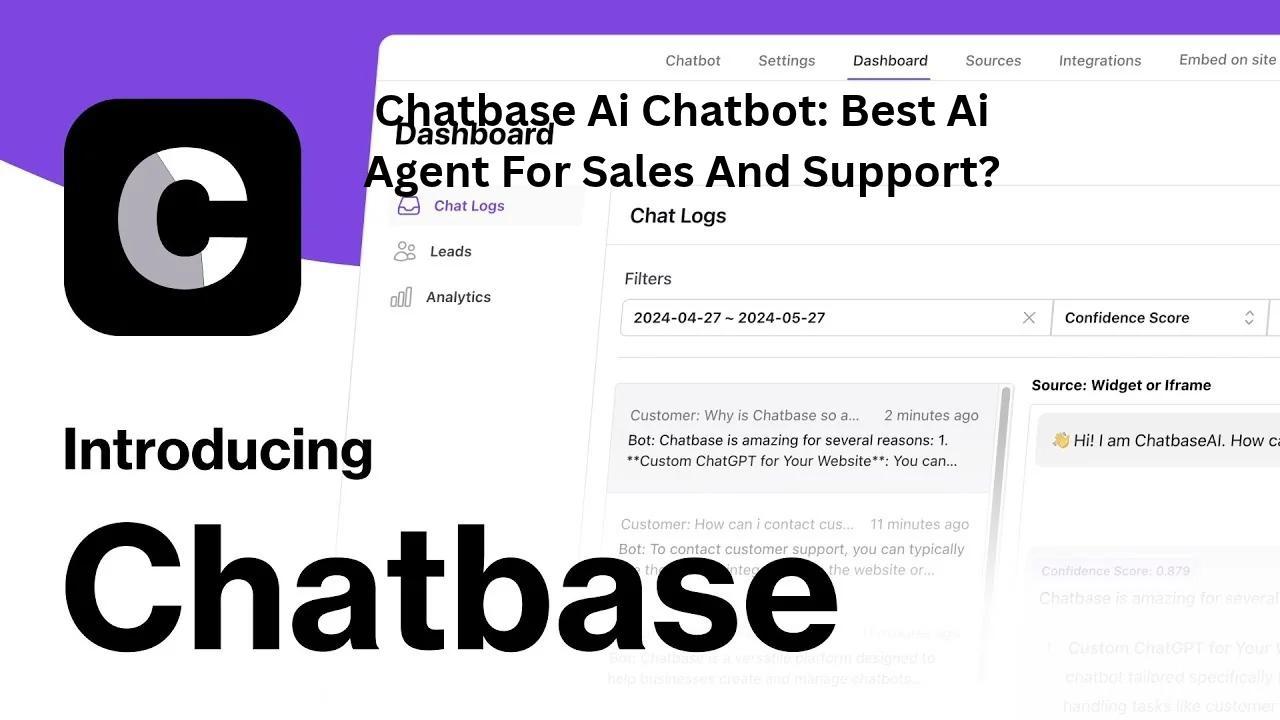
The rest of the loop is more classic. Playground-testing supports response checks, Compare-feature testing helps evaluate alternatives, and Suggestions can point-out content gaps from real conversations. When combined with chat-logs, bug tracking, and issue summarize functions, the result is a workable feedback system for continuous tuning.
Does Chatbase AI Include a Help Desk and Human Handoff?
Yes, Chatbase AI includes a standalone-helpdesk and supports handover to a live-chat teammate when the AI reaches a limit. That is important because no customer system should assume a bot can resolve every case.
The product’s help side is built around inbox management, ticket-creation, and context transfer. A customer can request a person, the AI can trigger an escalation, and the assigned team receives enough full-context to continue without forcing the user to repeat everything.
It also matters that this is not the only route. Teams can keep the native setup or connect external tools like Intercom, Freshdesk, or Zoho-Desk. For companies already committed to another support platform, that flexibility reduces migration pressure.
What Integrations Does Chatbase AI Support?
Chatbase AI supports integrations across commerce, scheduling, support, and automation layers, which makes it more useful than a standalone website bot. The value is not just the count of connections, but how they link answer flows to live systems.
The commonly referenced stack includes Shopify, Stripe, Calendly, Cal.com, Slack, Zapier, Make, N8N, Messenger, WordPress, and REST-APIs. Those cover eCommerce-platforms, appointment-platforms, and automation-platforms, while API and Webhooks extend the model into external-systems.
In practice, this means the agent can work inside an existing-stack rather than sit beside it. That is a key difference between a lightweight bot and a support tool that can actually move data or trigger actions where businesses already work.
Where Can You Deploy Chatbase AI?
You can deploy Chatbase AI across websites, messaging apps, email, voice, and phone-style surfaces, which is one of the platform’s most practical strengths. The deployment story is broader than a single widget.
The common setups include a chat-bubble on a Website, a help-page, support via Email, interaction through WhatsApp, and communication inside Slack. Some descriptions also include Voice, Phone, and a phone-channel in beta, which widens the options for service-heavy brands.
For web usage, the branding controls matter. Teams can customize the agent with site styling-colors, embeds, and a more self-service standalone-page format. That makes the product flexible enough for both embedded support and dedicated help-center experiences.
Can Chatbase AI Help With Lead Generation and Revenue Growth?
Yes, Chatbase AI can support lead-generation, early qualification, and revenue-focused conversations when deployed with the right product and workflow context. The system is not a full sales platform, but it can clearly help move buying conversations forward.
The strongest evidence in the source set is around commerce and merchant workflows. One case points to a 2.2x lift in closed-won merchant outcomes, while product descriptions repeatedly emphasize that the AI can collect email addresses, identify prospects, and guide conversations toward-revenue.
From a practical angle, the useful distinction is that the platform helps with qualification before a human joins. For many teams, that means better routing, more consistent lead capture, and less time spent answering the same pre-purchase questions.
What Analytics Does Chatbase AI Provide?
Chatbase AI provides conversation-level and support-level analytics that are useful for trend spotting, but the analytics depth still looks lighter than some enterprise platforms. The value is real, just not unlimited.
The product highlights views around total chats, messages, user feedback such as thumbs, topics, and sentiment. Some references also point to advanced insight on issue clusters, with examples like Positive trends or question grouping around return-policy and support themes.
A practical detail I found useful is that analytics are not only dashboard-driven. Operators can also ask the system about conversation history and use that shortcut to extract insights without building a separate report each time.
Is Chatbase AI Secure and Compliant?
Yes, Chatbase AI presents itself as secure, enterprise-grade, and aligned with major compliance expectations such as GDPR, SOC 2 Type II, and HIPAA references. For regulated or customer-sensitive environments, that framing matters.
The most direct claims focus on encryption of data at rest and in transit, use of standard-algorithms, and access controls through verified-variables. The sources also state that customer content stays your own-data, rather than being reused to train third-party models.
That does not remove the need for internal governance, but it does provide a clearer baseline than many smaller tools. In practice, teams evaluating Chatbase net worth or company maturity often pair those questions with compliance signals, because trust matters as much as functionality.
Which Industries and Teams Is Chatbase AI Best For?
Chatbase AI is best for service-oriented teams in industries where repeated questions, product guidance, and lightweight automation create clear operational value. The platform looks particularly natural for teams that want fast execution without committing to a heavy internal build.
The listed sectors span Technology, Healthcare, Retail-e-commerce, Financial-services, Education, Government, Telecommunications, and Fitness-wellness. Use cases range from order-inquiries and admissions support to account help, shipping, and policy lookups tied to real customer journeys.
The best-fit profile is usually an SMB or mid-sized team that needs quick deflection of repetitive-questions, clear support routing, and a manageable workflow footprint. Teams needing deep branching-logic, highly custom internal tooling, or more predictable enterprise billing may want a different fit.
What Real Results and Case Studies Support Chatbase AI?
The strongest proof for Chatbase AI comes from case studies and usage claims that show scale, resolution quality, and operational lift across different industries. The value of these examples is that they connect product claims to visible outcomes.
- Arcadis: 100% officially-sourced answers and citizen-access around public infrastructure information
- Sandbox-VR: 93% resolution performance with support across locations and employee operations
- Thotis-Media: 7M French student interactions and 18 deployed AI agents
- Aplazo: support reach across 50K+ merchants and a 2.2x closed-won lift
- Jumia: support-volume reduction and fewer inbound cases reaching human teams
These are not universal guarantees, but they do show that the system has been used well beyond a hobby chatbot context. In a product review setting, that level of social-proof is more persuasive than abstract claims.
How Much Does Chatbase AI Cost in 2026?
Chatbase AI pricing in 2026 spans freemium-style entry options, mid-tier business plans, and custom enterprise packages, with the biggest complexity coming from message credits and plan limits. The central issue is not only the monthly number, but how credits, actions, storage, and seats combine.
| Plan | Price | Included Usage / Limits | Notable Inclusions |
| Free | $0 | 100 credits, 1 agent, 400-KB storage, 10 links | Basic testing |
| Hobby | $40 | 2,000 credits, 33-MB storage | 5 AI actions |
| Standard | $150 | 12,000 credits, 2 agents, 3 team members | Broader production use |
| Pro / Business | $500 | 40,000 credits or 15,000 message credits, depending on cited plan set | More actions, analytics, support features |
| Enterprise | Custom | Custom limits and support | SSO, audit logs, roles, dedicated support |
The pricing story gets more complicated because some sources describe Basic, Business, and Enterprise, while others use Free, Hobby, Standard, Pro, and Enterprise. Add-ons like Extra-agent, Extra-storage, branding removal, and recharge pricing mean teams should read the plan details carefully instead of assuming one simple cost model.
What Should You Know About Chatbase AI Plans and Availability?
Chatbase AI is available as a hosted platform with access across web, messaging, email, and voice-connected surfaces, but some features depend on plan level. That is the key planning point.
The product appears as a Hosted-SaaS-platform with support for Website-chat, Email, Voice, WhatsApp, Slack, and related deployment paths. At the same time, there are references to Standard-plan requirements for certain API functions and to a Free-plan agent being removed after inactivity.
For operators checking availability, the important question is less “can I access it?” and more “which plan unlocks the workflow I need?” That matters for API usage, source connections, and channel scope.
What Are the Best Chatbase AI Alternatives?
The best Chatbase AI alternatives depend on whether you need deeper workflow design, stronger enterprise support tooling, or a different pricing model. Chatbase alternatives are not all trying to solve the same problem, so the comparison only makes sense when tied to your operating model.
| Alternative | Best For | Distinction |
| Botpress | Complex support automation | Stronger complex workflows, drag-and-drop builder, full API control |
| Voiceflow | Design-heavy conversation mapping | Visual builder with voice agents via Twilio and Vonage |
| Intercom Fin | Support teams needing a unified inbox | Strong human + AI routing model |
| Tidio | Smaller customer chat use cases | Lighter alternative for simpler needs |
A Chatbase founder search or Chatbase logo search does not tell you much about actual operational fit. If your team needs persistent workflow control, heavy branching, or larger support operations, one of these alternatives may align better than Chatbase’s faster and more compact approach.
What Types of Customer Requests Can Chatbase AI Handle?
Chatbase AI can handle a wide range of practical support and service requests, especially when the workflow is tied to real data and clear procedures. The best examples are not abstract—they are transactional.
The source examples include a rotate API key, confirm early-check-in, track a package, manage a membership, or explain a bill with a one-off charge. Other cases include a refill prescription, a lost card, a replacement, a road streetlight issue, and a booking update sent by text-you after a repair-booked workflow.
That matters because realistic support work is messy. A good AI system is not judged only by greetings or FAQ polish, but by how well it handles these varied request types without collapsing when the task turns operational.
What Quick Product Details Matter About Chatbase AI?
The quick product details that matter most about Chatbase AI are its position as a closed-source support automation platform, its broad channel reach, and the way it is categorized around customer-experience and omnichannel service. Those signals shape buyer expectations before deeper evaluation even starts.
Short-form profile data also emphasizes support-automation, knowledge-base use, sales-support, and voice-support. In marketplace-style summaries, those labels often matter as much as a long-form Chatbase review, because they frame whether a tool looks like a chatbot, a helpdesk extension, or a wider CX product.
What Is Chatbase?
Chatbase is an AI-platform for creating agents trained on business content so they can answer customer questions. The simplest definition is that Chatbase turns your documents, websites, and own-data into a customer-facing assistant. It is a practical FAQ-style answer to the “what is Chatbase” search.
What Languages Does Chatbase AI Support?
Chatbase AI supports 95+ human-languages and is described as handling multilingual interactions with automatically-detecting behavior. The platform also mentions real-time-assistance across 80+ languages in one review source. For global teams, that kind of language-support expands customer reach without creating separate agents for every market.
What Data Can Train a Chatbase AI Agent?
A Chatbase AI agent can train on supported-sources such as websites, PDFs, TXT, Word-documents, text-snippets, Q&A-pairs, Notion, and support-tickets. Some plan descriptions also include Website-URLs, Files, and Business-plan-sources like Zendesk or Salesforce ticket data. The key requirement is that the content is readable and useful for answering real questions.
How Fast Can You Get Started With Chatbase AI?
You can get started with Chatbase AI very quickly, with sources describing under-five-minutes setup for a first agent and an average-setup-time of under 10 minutes. A bot-live workflow is realistic when the website and training content are already prepared. For small teams, that fast-start profile is one of the product’s clearest strengths.
Can Chatbase AI Integrate With Existing Tools?
Yes, Chatbase AI can integrate with existing-tools through direct connections and broader automation routes. The sources mention Shopify, Slack, Zapier, WhatsApp, Make.com, REST-APIs, and several support platforms. In practice, that gives the product workable compatibility with many day-to-day systems.
How Do Chatbase AI Message Credits Work?
Chatbase AI message credits are the usage unit that powers conversations, but the practical cost is not always one message equals one credit. Sources describe a monthly credit-allowance, note that credits varies by usage pattern and model, and mention auto-recharge-enabled options when credits run-out. That is why pricing needs careful review.
Is Chatbase AI Free?
No, Chatbase AI is not simply free in the way many buyers expect, although some plan sets mention a Free tier and others emphasize a trial model. Several descriptions say you can try-every-plan for 7-days, while paid usage may start-at-$150 depending on the plan framing. The exact answer depends on which current pricing structure is active.
Is Chatbase AI Safe?
Yes, Chatbase AI is presented as safe, with data protection claims built around encryption and compliance standards. The sources state that the platform doesn’t-use-your-data-to-train outside models and note that this safety posture is often praised in reviews. For buyers, the main safety signal is the overlap between encryption, retention language, and compliance positioning.
Does Chatbase AI Use ChatGPT?
Yes, Chatbase AI supports ChatGPT-models, but it is not limited to one vendor. The sources emphasize flexibility and the ability to choose-other-models, so teams are not-locked into a single-provider. That matters when businesses want to balance speed, quality, and cost.
Is Chatbase AI Legit?
Yes, Chatbase AI appears legit as a commercial platform used by real teams to create-chatbots and customer-facing agents trained-on-your-data. The broader product footprint, case studies, and support use cases all reinforce that it is used in practical business settings. The more relevant question is usually fit, not legitimacy.
Who Are Chatbase AI’s Main Competitors?
The main-competitors to Chatbase AI include Botpress, Voiceflow, Intercom-Fin, and Tidio. These platforms serve different styles of support and automation, so anyone comparing AI builders should match the tool to the workflow rather than rely on feature count alone.
Is Chatbase AI GDPR Compliant?
Yes, Chatbase AI is described as GDPR-proof and positioned around compliance-FAQ style questions tied to regulated data handling. The most direct answer comes from the platform material according-to-website language and related security references. For buyers in Europe, that is a key trust checkpoint.