

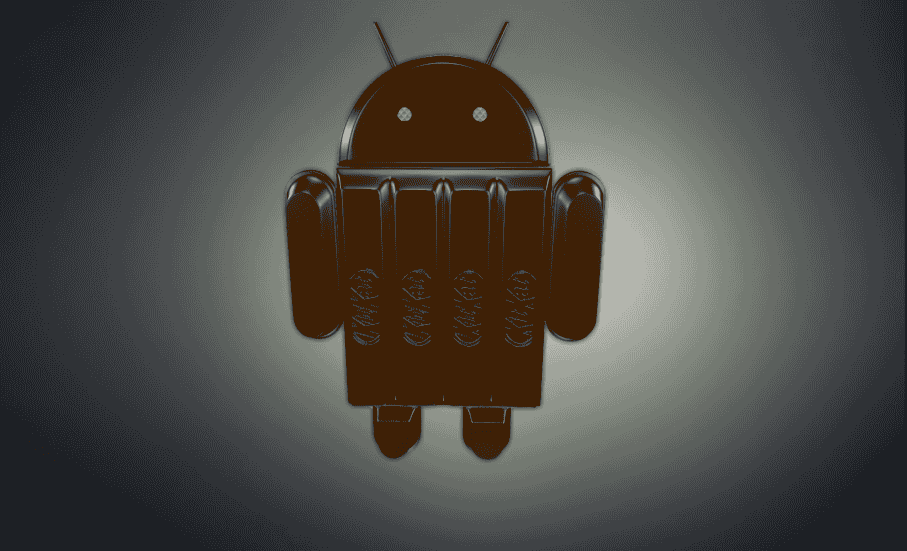
The Android KitKat wallpaper pack is a 13MB ZIP file holding 9 images, with the largest ones reaching 3966×3966 pixels.
- Where Do the Nexus 5 Wallpapers Come From?
- What Resolution Do the KitKat Wallpapers Use?
- What Kinds of Backgrounds Does KitKat Include?
- How Do You Install the Wallpapers on Any Android Phone?
- Do Large Wallpapers Hurt Compatibility and Performance?
- What Are the Usage and License Rules for These Wallpapers?
- Which Icon Pack and Launcher Match the KitKat Look?
I keep this pack on a test phone because the images hold up on any higher resolution screen and still look deliberate. A few lean on intense palettes, while others drift through smooth gradients, and that contrast is what makes the set worth installing today.
Photos from the pack are best saved as JPEG, which gives good fidelity in a small file, and a Full HD display shows them properly. Applying one takes a few taps in Settings > Display > Wallpaper, then choosing the image. Keep them for personal purposes, and strike a balance between how big an image is and how comfortably your phone handles it.
Where Do the Nexus 5 Wallpapers Come From?
The official wallpapers come from Google, which shipped them with Android 4.4 on the Nexus 5.
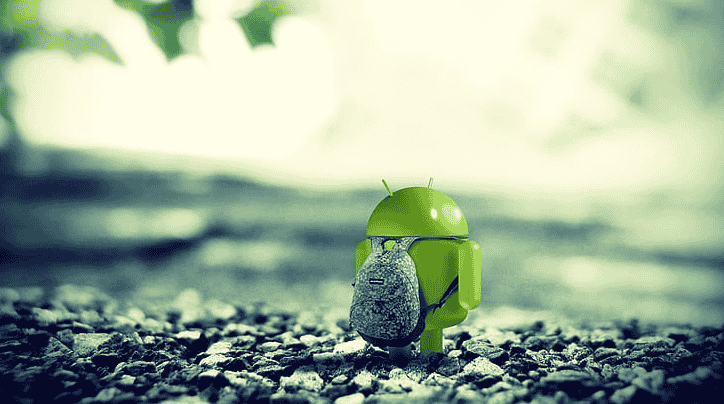
KitKat followed a habit of the company in Mountain View: each of its new versions arrives with fresh images for the screen, and they are generally attractive. Launch demand for the phone was incredibly high, so many people hunted for the files before they could buy the hardware.
The set was circulated by AndroidGuys, the original source credited in the AndroidAyuda post, so check any copyright information before reusing an image. In my experience a 1080p panel is the natural target, and that is exactly what the phone ships with.
The pack groups into three styles: artistic pieces, geometric designs, and landscapes.
What Resolution Do the KitKat Wallpapers Use?
Out of 8 wallpapers in the original Android Police release, 6 are square at their native resolution, while the two nature wallpapers measure 3966×2644 because they are actual photos.
The phone’s screen resolution is 1.920 x 1.080, and AndroidAyuda expects the same files to suit the Nexus 10 as well. That much spare size lets you crop an image to the shape you need and avoid pixelation or unnecessary scaling.
| Group | Count | Native size |
| Square graphics | 6 | 3966×3966 |
| Nature photographs | 2 | 3966×2644 |
| Target phone panel | n/a | 1.920 x 1.080 |
The inspiring photos are where extra pixels are most easily wasted on a small display, because oversized files make the CPU and GPU work harder and drain battery for no visible gain. I would rather resize once than make the launcher do it every time.
What Kinds of Backgrounds Does KitKat Include?
The set mixes concept art made for the new phone with a pair of nature photographs, including one of snow-capped mountains.
The colorful wallpaper with the number 5 was missing from the first batch, and an update to the Android Police post confirmed it was found elsewhere.
| Type | Where it appears | Notes |
| Concept art | Most of the set | Built for the new phone |
| Nature photograph | Snowy mountain shot | Slightly shorter canvas than the rest |
| Bright numbered piece | Added after the post changed | Easy to miss in the first download |
For graphics, PNG keeps sharp lines and transparency intact, which matters for flat pieces with clean edges.
These are static images, so a static wallpaper is cheaper to run than live wallpapers, which redraw the screen constantly; if you want motion, keep to simple animations. The icon pack called Holo Icons, covered at the end, completes the look.
How Do You Install the Wallpapers on Any Android Phone?
To install a KitKat wallpaper on any Android phone, download the image first and then apply it from the phone’s wallpaper picker.
- Open the link to the pack and preview every image before committing.
- Download the compressed file, or right-click a single image and choose save image as.
- Open the wallpaper picker on the phone and select the file.
Heavy images are a risk on low-end hardware: a phone with little memory may show lag when a huge file loads, and I switch to a plain background whenever I play games.
Pick a picture with good contrast so widgets stay legible, since photographic pieces look best on panels that render them well. If a copy should not be online, contact the hosting provider and request its removal.
Do Large Wallpapers Hurt Compatibility and Performance?
Large wallpapers hurt performance when the file size outgrows what the device can handle, which costs RAM and system responsiveness.
WEBP offers high compression, but older computers may need extra support to open it, so the same pack can behave differently across devices.
On a smaller screen, downloading a giant file adds weight without extra sharpness. If your launcher supports multiple screens, a wide image gives smooth scrolling, though that only pays off on hardware that can carry it.
Designs built from color planes and discreet shapes offer minimal distraction, and in my experience they stay light on weaker phones.
What Are the Usage and License Rules for These Wallpapers?
The pack is meant for mobile phones, tablets and other screens, provided you follow the rules of the site you downloaded it from.
AndroidAyuda offers a single file hosted on Dropbox, while Android Police pointed readers to mirrors for the same archive. If a copy ever disappears from one host, the other route usually still works, which is why I keep a local backup.
The square resolutions suit desktop scrolling effects, where the image slides sideways, and the usual gallery apps or third-party launchers can apply them. Compatible apps only become a worry with newer formats.
I resize my copies to protect quality where it is visible and trim the rest, which keeps the files easy to share.
Which Icon Pack and Launcher Match the KitKat Look?
A Free download from the Play Store, paired with a launcher that accepts icon packs, recreates the KitKat look on any phone.
The original post, published on Androidsis, relied on leaks of the unreleased software, so the result was a guess at a faithful appearance rather than the final design.
- Nova Launcher and Apex: the most downloaded options for Android 4.0 or higher, according to the source.
- ADW and Go Launcher: alternative choices listed alongside them.
- Holo Launcher: listed as available for all Android versions.
A launcher adds a modern touch, but a heavy setup can hurt readability, trigger crashes on weak hardware, and struggle beside resource-intensive apps; disabling extra animations helps. If your device never receives the new software, you may have to settle for mods like this one.