


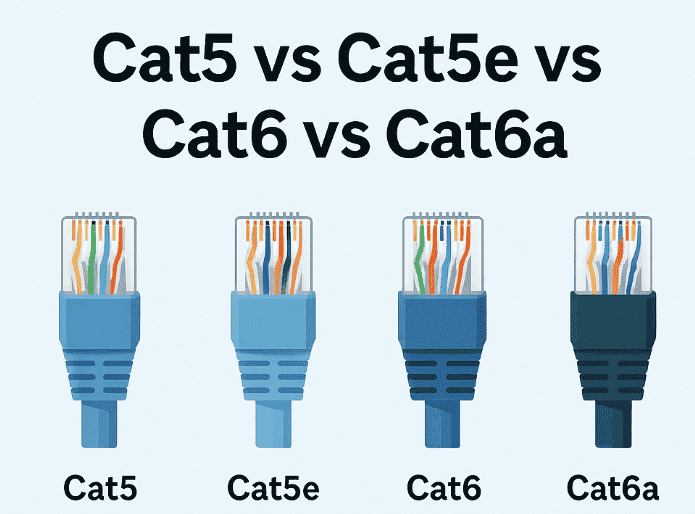
In the cat5 vs cat5e vs cat6 vs cat6a comparison, the main differences are bandwidth and speed: Cat5 tops out at 100 Mb/s, Cat5e delivers gigabit Ethernet speeds, Cat6 reaches 10 Gb/s only on runs up to 55 m, and Cat6a holds 10 Gb/s across the full 100 m channel.
- Cat5 vs Cat5e vs Cat6 vs Cat6a
- Understanding Ethernet Cable Categories
- What Sets Cat5, Cat5e, Cat6, and Cat6a Apart Beyond the Plug
- Shielding Options & Construction
- Ensuring Quality: Navigating Industry Standards and Compliance for Ethernet Cables
- The Role of Industry Standards in Cable Quality and Network Design
- Compliance and Certification Considerations
- Upgrading Your Network Infrastructure – When and Why?
- Speed, Throughput & Bandwidth (Frequency)
- Speed & Throughput
- Frequency & Signal Quality
- Speed Comparison Table
- Frequency (Bandwidth) Comparison Table
- Bandwidth and Data Transfer Rates
- Transmission Distance, Crosstalk & Interference Resistance
- Transmission Distance & Interference Resistance
- Minimizing Crosstalk: A Closer Look at Ethernet Cables
- Crosstalk and Signal Interferences / Transmission Distances
- Cost, Installation & Future-Proofing
- Cost, Installation & Future-Proofing
- Cost Considerations and Budgeting for Ethernet Cabling
- Comparing Costs: Cat5 vs Cat5e vs Cat6 vs Cat6a
- Long-term Economic Benefits
- Budgeting for the Right Cable
- Future-Proofing
- Selection Guidance & Recommended Use Cases
- Optimizing Your Infrastructure for Ethernet Performance
- FAQs
Most people only meet these labels while shopping for a patch cable. Yet the twisted-pair Ethernet cable categories printed on the jacket quietly set the ceiling for data transfer speed, system performance and how stable network behavior stays as traffic grows. Each cable carries four wire pairs, and tighter twists, thicker conductors and better shielding are what separate one grade from the next. Installers tend to say the cable is the cheapest part of a build to get right the first time and the costliest to redo, especially in homes and offices where decades-old cable runs are still common. Routers, switches and other networking gear keep getting faster, so cabling quality increasingly decides whether an internet connection performs as sold. What follows covers ideal use cases, installation, power consumption and future-proofing for current and future needs, with newer standards in mind. It also explains how Ethernet cable categories and their capabilities should be matched to real networking needs when choosing network cables, whatever the maximum throughput on paper.
Cat5 vs Cat5e vs Cat6 vs Cat6a
Choosing among these four category cables comes down to speed and bandwidth: Cat5 handles 100 Mb/s, Cat5e reaches 1 Gb/s, Cat6 adds 10 Gb/s on runs up to 55 m, and Cat6a sustains 10 Gb/s over the full 100 m.
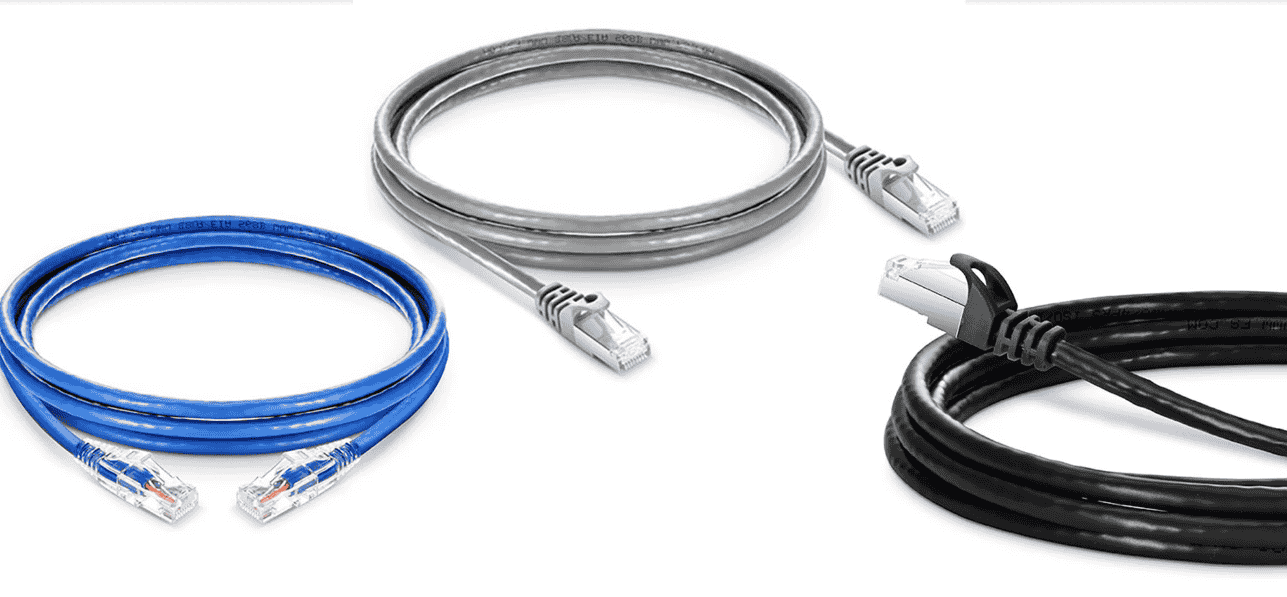
Practitioners tend to treat the Ethernet cable as the one piece of network infrastructure nobody wants to touch twice. The cabling types share a plug but differ in the frequencies they carry, their immunity to interference and how cleanly data transmission holds up as traffic grows. Cat5’s obsolescence is already settled, so the real decision sits among the other three cable types and their use cases. Cat5e suits budget homes, Cat6 suits mainstream offices, and Cat6a suits multi-gigabit throughput where advanced solutions such as dense PoE or heavy EMI are involved. Service providers pulling cable into new builds commonly raise the higher grades first, since opening a wall a second time is usually the costly part.
Understanding Ethernet Cable Categories
Ethernet cable categories describe how much frequency a cable can carry cleanly, so higher numbers mean more bandwidth and speed, while lower numbers mean older technology. Every category uses the same RJ-45 connector style, which is why plugs look nearly identical; the difference sits in the electrical performance of the copper and the interference tolerance built around it. Anything connected to the internet in a facility ends up limited by its weakest link. The headroom a category offers decides how many minimal delays, dropped packets and hours of downtime show up later, and the productivity lost to a slow link usually outweighs the higher price of a better cable. The operational needs of the site, not the sticker, should set the choice. The “Cat” in each label simply stands for category, and these twisted-pair Ethernet cables are graded one step at a time.
Cat5
Cat5 is obsolete for anything installed today: it supports Fast Ethernet at 100 Mb/s over a 100 MHz signal and was replaced by Cat5e in the standards. Often called the grandfather of Ethernet cables, it became the backbone of corporate networks in the 1990s and carried the early internet into small offices and homes.
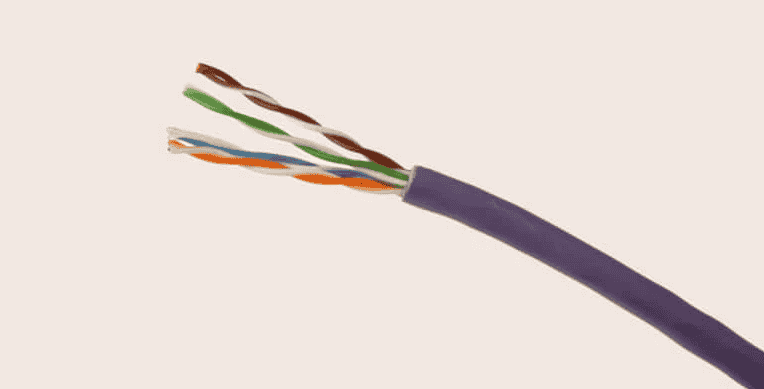
Its use status in 2025 and beyond is legacy only. As a relic, it can still hold basic network connections together, but its suitability for modern Gigabit traffic is poor, and it offers no future-proof path toward multigigabit applications. Installers describe it as a stepping stone rather than a destination. Upgrading becomes unavoidable once high-speed internet demands arrive, and new installations should skip it entirely.
Cat5e
Cat5e handles 1 Gb/s across its 100 m (328 feet) limit, which makes it the cost-effective default for home networks and standard office networks. Cat 5e max distance is the same 100 m as every other twisted-pair category here. The “e” stands for enhanced. As the predecessor of Cat6 and the evolution of legacy Cat5 cables, it keeps the 100 MHz rating but adds tighter twists and improved crosstalk control, which improves data transfer efficiency and lets Cat5e wiring carry 1000 Mb/s gigabit Ethernet reliably, or 1Gbps in everyday terms.
Practitioners describe it as the oldest cabling category still worth buying, mostly on affordability and flexibility. The 24 gauge twisted pair wires route easily through residential cable runs and small offices, and web browsing, streaming, IoT devices and basic file sharing fit comfortably inside a 1 Gigabit network speed. Residential and budget use is where it makes the most sense, as the least expensive route to Gigabit networking.
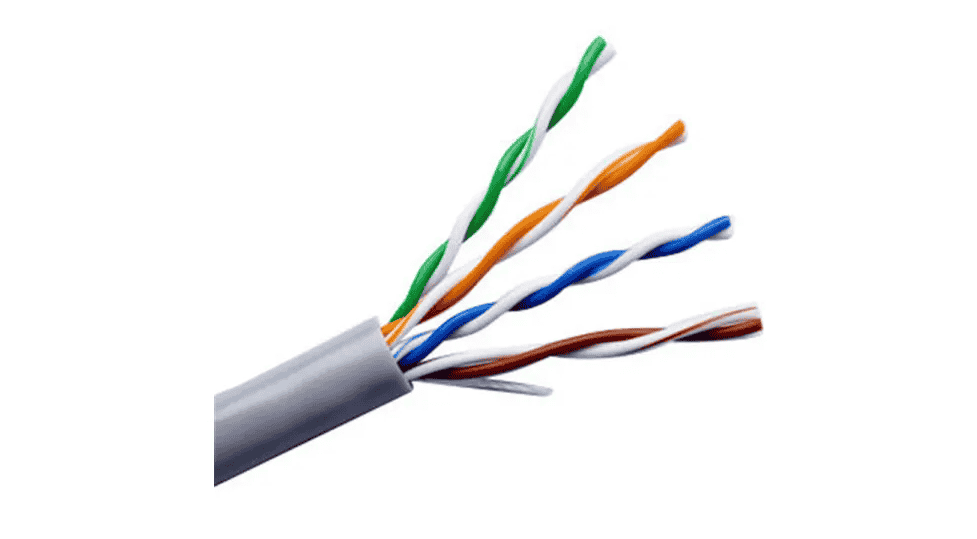
The limitations appear under pressure. With limited headroom, alien crosstalk, signal interference and electromagnetic interference reduce throughput once cables are bundled. 2.5 Gb/s generally works on short controlled runs, 5 Gb/s is inconsistent, and 10 Gb/s is not specified. Higher speeds and heavier data burdens expose it quickly, and it cannot match the high-performance levels or multigigabit standards of newer cable.
Cat6
Cat6 is rated to 250 MHz and supports 10 Gb/s, but only on shorter runs of 55 m, or 55 meters, in good conditions, with 164 feet as the cautious figure when cables are bundled. Over 100 meters (100 m), the Cat 6 max length for any speed, it still delivers 1 Gb/s, and 2.5 Gb/s and 5 Gb/s run comfortably too. It is the most commonly used category in modern home networks and offices, and the current standard that most businesses specify for new Gigabit Ethernet drops. Think of it as the mainstream gigabit/multigigabit standard.
The step up from Cat5e is physical. Cat6 wiring swaps 24 AWG for 23 AWG, a 23-gauge conductor measuring 0.0226 inches, and adds tighter twists and stricter construction, so the nominal bandwidth is 250MHz against 100 MHz. Thicker conductors give reduced signal loss, while many designs add a spline or optional shielding that improves EMI resistance and cuts crosstalk, giving reduced noise. The finished cable typically measures around 6.2 mm (0.25 inches), so the diameter per wire is larger than in Cat5 cables.
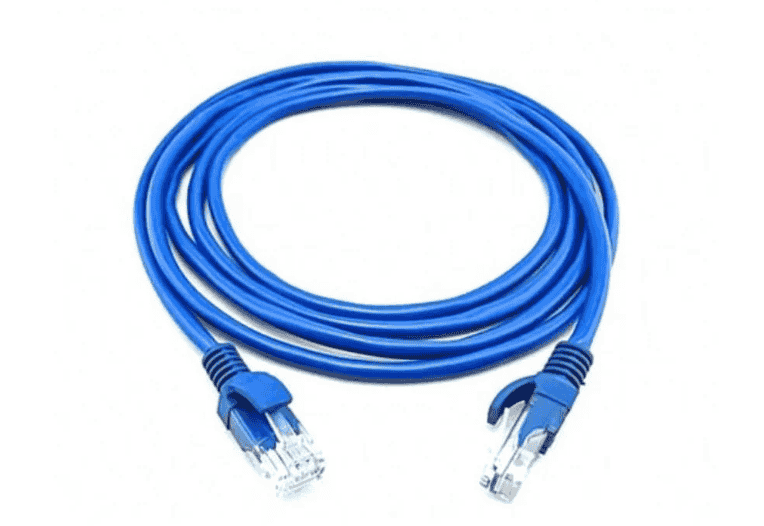
On the job, installers point Cat6 toward Wi-Fi access point backhauls, gaming setups, data centers and data-intensive workplaces, where higher data rates matter more than shielding. Backward-compatibility with Cat5e gear is complete. Expect the cost to run roughly 30 percent above Cat5e, depending on the manufacturer.
A 10 Gigabit network over Cat6 suits ideal environments with shorter runs, and large-scale enterprises lean on it for high-speed Ethernet networks that need higher throughput. Each pair of wires carries two-way communication, so data throughput suffers wherever electromagnetic interference is heavy. A Cat 6a cable is the answer there, and 10Gbps at full distance is its specialty.
Cat6a
Cat6a doubles Cat6’s 250 MHz to 500 MHz and holds 10 Gb/s across the full 100 m channel (330 feet), which makes it the most advanced Ethernet cable most buildings will ever need. The “a” stands for augmented. Unlike first generation Cat6, a Cat 6a cable length limit of 100 meters applies to 10 Gigabit ethernet speed, so permanent 10 Gb/s installations no longer depend on short runs.
The performance comes from construction: 23 gauge thicker conductors, tighter winding, extra-thick plastic jackets and often foil or braided shields in U/FTP, F/FTP, S/FTP or SF/FTP forms. Alien crosstalk is largely suppressed and external electromagnetic noise is rejected, giving less cross talk and less signal loss. The trade-off is a stiffer cable that uses more copper per inch, fills high-density cable trays faster and is slightly more expensive, with a price premium that grows with shielding.
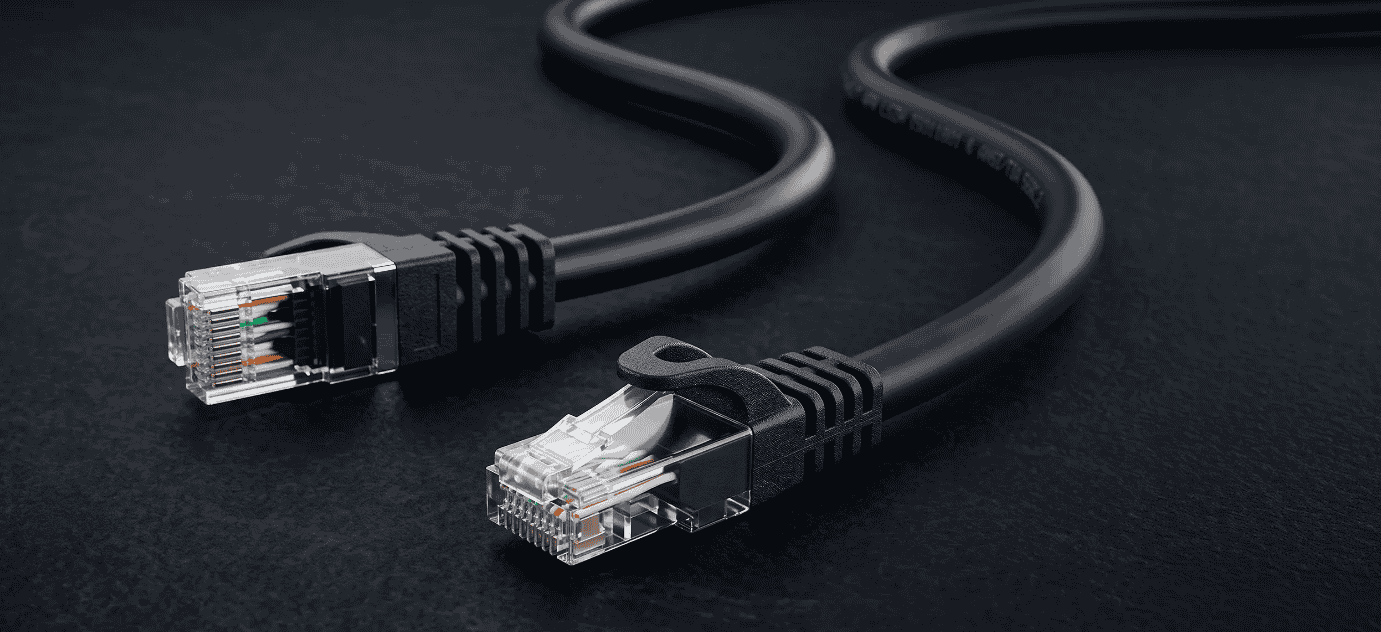
Where it earns that price: PoE applications and IP cameras, VoIP phones, Wi-Fi 6/6E/7 access points, advanced data centers, industrial settings, industrial plants and high-EMI zones. For a small flat it is overkill; for an enterprise it is routine, and PoE sizing becomes less of a worry.
Entry-level cable choices such as Cat5e cannot match it at 10Gbps. Superior shielding and a wider frequency bandwidth (500MHz) suit 10 Gb/s links and high-speed data transfers in data centres and businesses. Highly specialized scenarios with greater distance demands move to fiber instead.
What Sets Cat5, Cat5e, Cat6, and Cat6a Apart Beyond the Plug
Four twisted pairs sit inside every Cat5, Cat5e, Cat6 and Cat6a jacket, and what separates them is cable construction and cable quality, not the plug. Certified cables carry a TIA/EIA label printed on the jacket, which confirms that the twisted-pair cabling meets a defined standard for higher data rates and 10 Gb/s where applicable. For commercial premises, a scalable network starts with that label, since increased bandwidth, improved data integrity and good network hardware performance depend on it.
Shielding Options & Construction
Shielding types are named with a two-part code: the letters before the slash describe the overall shield, and the letters after it describe what wraps each pair. U/UTP, or Unshielded Twisted Pair, has no shield at all and is standard in homes and offices for Cat5e and Cat6. F/UTP, called Foiled Twisted Pair or simply FTP, puts a single foil, an overall foil, around the four twisted pairs for basic EMI protection. U/FTP, sometimes called Unshielded Foiled Twisted Pair, relies on per-pair shields, so each pair shielded is isolated from its neighbors. F/FTP adds an overall foil on top of that, S/FTP uses a braid, and SF/FTP combines foil and braid. STP is a looser umbrella term for shielded cabling.
Cat6a is where shielded cable construction pays off. Shielded versions need proper grounding, since an ungrounded screen can behave like an antenna and undermine crosstalk performance. They are also less flexible, and installation takes more care. Unshielded builds win on ease; high-EMI, industrial and data-centre environments, plus overall shielding for 10 Gb/s runs, justify the extra effort.
Ensuring Quality: Navigating Industry Standards and Compliance for Ethernet Cables
Cable quality is verified against industry standards and benchmarks, so Cat5, Cat5e, Cat6 and Cat6a Ethernet cables should all show compliance on the jacket. Cabling that meets them supports optimal network design and behaves predictably with network hardware.
The Role of Industry Standards in Cable Quality and Network Design
Industry standards define the specifications that make cable quality measurable. The Telecommunications Industry Association (TIA) and the former Electronic Industries Alliance (EIA) wrote the specifications behind category ratings, covering performance, safety, reliability, longevity and environmental considerations. Adherence matters for network design. Data speeds and network traffic loads stay predictable only when the network infrastructure meets the same published limits.
Compliance and Certification Considerations
Compliance means a cable has been rigorously tested against a published standard. TIA/EIA-568 covers telecommunications cabling in commercial buildings, ISO/IEC 11801 is the international standard for generic cabling, and ANSI/TIA-862 addresses building automation systems. Certification matters most in commercial buildings and commercial premises, where twisted-pair cabling and fiber optic runs share the same pathways. Certified cables tied to the TIA/EIA label meet minimum requirements for data communication, and end-users get an investment that survives audits. Cat5 no longer qualifies for new work, Cat5e and Cat6 remain accepted, and Cat6a supports higher data rates for modern networks, including private and commercial communications networks. Each added layer of performance supports emerging technologies and future advancements, and gives networking teams a sustainable network and a scalable network.
Upgrading Your Network Infrastructure – When and Why?
Upgrade the cable type when slow internet speeds, frequent disconnections or data transfer delays persist after routers and switches are ruled out. A newer category brings increased bandwidth, reduced crosstalk and improved data integrity. An informed choice weighs the demands of the future, not only the capabilities needed today. Cabling infrastructure ages slowly while uses change fast, so moving to an advanced ethernet cable category is justified when those uses outgrow the copper.
Speed, Throughput & Bandwidth (Frequency)
Speed & Throughput
Maximum data rate is set by category: Cat5 tops out at 100 Mb/s Fast Ethernet, Cat5e at 1 Gb/s (2.5 Gb/s on short runs), Cat6 at 10 Gb/s only up to 55 m, and Cat6a at 10 Gb/s over the entire 100 m channel. The differentiator is not the 1 Gb/s most homes need today but the headroom for future upgrades. Cat6a has twice the bandwidth at 500 MHz, so prudent choices for new installations lean upward, and 5 Gb/s sits in between.
Frequency & Signal Quality
Frequency is the range of signal the copper can carry cleanly, and higher categories support a higher frequency with better signal quality. Cat5 and Cat5e are specified to 100 MHz, Cat6 to 250 MHz and Cat6a to 500 MHz. Multigigabit signals are heavily modulated, so 10 Gb/s needs those wider frequency ranges and strong crosstalk control for stable transmission over longer distances. The cost is physical: heavier shielding, thicker insulation, larger cable diameter and more stiffness.
Speed Comparison Table
| Category | Typical Speed | Notes |
| Cat5 | 100 Mb/s @ 100 m | Obsolete; only for legacy 10/100 Mb/s networks |
| Cat5e | 1 Gb/s @ 100 m; 2.5/5 Gb/s in limited conditions | Enhanced design with best value for performance; crosstalk limits bundles |
| Cat6 | 1 Gb/s @ 100 m; 10 Gb/s @ ≤ 55 m | 250 MHz, thicker conductors, maximum distance still 100 m |
| Cat6a | 10 Gb/s @ 100 m | 500 MHz bandwidth, full-distance 10 Gb/s, shielding options, strongest PoE performance |
Frequency (Bandwidth) Comparison Table
| Category | Frequency Band | What Changes |
| Cat5/Cat5e | 100 MHz | Baseline; Cat5e adds crosstalk control |
| Cat6 | 250 MHz | Tighter twisting and noise rejection; 10 Gb/s only over short distances |
| Cat6a | 500 MHz | Doubled bandwidth over Cat6, greater bandwidth for reliable 10 Gb/s at 100 m, lowest crosstalk |
Bandwidth and Data Transfer Rates
Bandwidth sets the ceiling for faster data transfer rates, so higher-category cables such as Cat6 and Cat6a suit modern applications that need high-speed connectivity. Larger bandwidths leave room for traffic that does not exist yet.
Transmission Distance, Crosstalk & Interference Resistance
Transmission Distance & Interference Resistance
Every twisted-pair category reaches 100 m at its rated speeds, with one notable exception: Cat6 drops to 55 m for 10 Gb/s. Cat5e and Cat6 both run 1 Gb/s to the full 100 m, but performance drops once alien crosstalk from neighboring cables creeps in at specific distances. Cat6a’s larger conductor size and improved shielding give it the strongest interference resistance. Per-pair shielding or overall shielding is available for high-EMI environments, where EMI would otherwise hurt 10 Gb/s.
Minimizing Crosstalk: A Closer Look at Ethernet Cables
Crosstalk is signal bleeds from one pair into adjacent wires, and it is the main reason cables miss their rated speeds. Cat5, the oldest, is the most susceptible. Enhanced Cat5 (Cat5e) tightened the specifications, Cat6 added better insulation and stricter specifications, and Cat6a delivers the highest performance. In high-traffic networks, crosstalk causes errors, retransmissions and lower speeds, which hurts network performance, integrity and the speed of data transmission. Electromagnetic interference from outside the cable makes it worse.
Crosstalk and Signal Interferences / Transmission Distances
Maximum cable length for copper Ethernet is 100 meters regardless of category, because signal degradation on longer runs compounds crosstalk. Densely wired environments and large-scale network setups worsen signal interferences, so Cat6a offers protection against interference for 10 gigabit speeds. Beyond long distances, fiber takes over, and transmission distances above 100 meters need switches or repeaters.
Cost, Installation & Future-Proofing
Cost, Installation & Future-Proofing
Cat5e is the cheapest and least expensive of the four to buy. The step up from Cat5e to Cat6 is about 30 percent, and Cat6a is commonly quoted at 10–20% above Cat6, with significantly greater premiums once additional shielding is specified. Cost varies by region and brand. Installation considerations matter as much as price. Jackets are sold as general (CM), riser (CMR) and plenum (CMP), and building codes dictate which may run where. Cat6a is less flexible, so its bend radius is larger, and connector quality becomes critical at 10 Gb/s. Thermal management counts too: PoE++ and other high-power applications heat the cable, and tightly packed PoE bundles struggle to dissipate heat. Choosing a higher category up front is future-proofing that avoids re-cabling.
Cost Considerations and Budgeting for Ethernet Cabling
Cost implications depend on cable category, but the price on the box is only part of a network installation budget, since labor and testing sit alongside it. The cheapest option has real economic advantages for a spare room or a short run. Ethernet cables, though, are buried assets, and their long-term benefits only appear if the upgrade path stays open without opening walls again.
Comparing Costs: Cat5 vs Cat5e vs Cat6 vs Cat6a
Cat5e is the most economical purchase, Cat6 is slightly more expensive, and Cat6a is the premium choice with the highest performance and more costly cable pricing. Cat5 is obsolete and getting harder to find. Length, brand and speed capacities all move the number, while improvements in performance and higher bandwidth explain each step up.
Long-term Economic Benefits
Cat6a and Cat6 can cost more on day one, but reduced downtime and less frequent upgrades often repay the initial cost difference. For bandwidth-intensive applications, higher-performance cables support a future-proofed network, with potential savings and better overall efficiency despite the initial cost.
Budgeting for the Right Cable
Before buying, assess your needs. The financial investment in cabling is small next to costly replacements later. Count total costs, not only current costs: installation, maintenance, and the data transfer rates and bandwidth the site will need. Scalability and potential growth belong in budgeting, so future networking needs and future network requirements are priced in. The aim is a smooth-running network and an informed decision.
Future-Proofing
Future-proofing means buying excess capacity now, because network demands only rise and future upgrades are cheaper when the cable is already in place.
Selection Guidance & Recommended Use Cases
Selection Guidelines
Match the category to run length, required bandwidth and environment first, then to budget.
- Budget Versus Longevity: Cat5e suits short, light-traffic jobs at 1 Gb/s, while higher-category cables protect against costly retrofits when 10 Gb/s upgrades arrive.
- Run Length: Cat6 handles 2.5/5 Gb/s up to 100 m and 10 Gb/s up to 55 m; longer runs at multigigabit speeds push toward Cat6a, since degrading performance is hard to fix afterward.
- Environment: high-EMI areas call for shielded cables with solid crosstalk control, and shielding only helps if it is grounded.
- Installation Complexity: Cat6a is less flexible, so check bend radius, plan compatible connectors and think through how you will deploy it.
- Present and Future Needs: choose for both, not just today’s traffic.
Recommended Use Cases Table
| Cable | Best Fit | Why |
| Cat5e | Homes, small offices, basic internet, streaming, light office use, budget-constrained installations | Reliable gigabit speeds at the lowest price |
| Cat6 | Modern offices, gaming setups, Wi-Fi AP backhauls, 2.5/5 Gb/s networks, short 10 Gb/s links, ideal environments | Multigigabit speeds and reduced latency from fewer retransmissions |
| Cat6a | Enterprise networks, large networks, data centres, PoE-heavy environments, high-EMI sites | Full-distance 10 Gb/s, superior PoE capability, strong shielding, future-proofing |
Optimizing Your Infrastructure for Ethernet Performance
Optimizing network infrastructure starts with the category of Ethernet cable, because capacity, reliability and resilience against interference all trace back to it. The long-term benefits show up as better network efficiency, provided requirements are written down before purchase and each step is an informed decision.
Assessing Infrastructure Needs
Assess the volume of traffic, type of data and bandwidth requirements first. Then look at the environment: electromagnetic interference and crosstalk degrade signal quality, and Cat6 or Cat6a is the safer pick where either is present. Upgrading in stages works only when integrating new cabling with the old is planned, and current and future network demands should both be on the page.
Factors Influencing Decision Making
The key factors in selecting Ethernet cables are transmission distances, data transfer rates and bandwidth, plus crosstalk and signal interference, with future-proofing as the tie-breaker.
FAQs
What Is the Difference Between Cat5, Cat5e, Cat6, and Cat6a?
The difference is mostly bandwidth and crosstalk control. Cat5 (100 MHz, 100 Mb/s) is obsolete, and Cat5e (100 MHz, 1 Gb/s) is the enhanced version. Cat6 (250 MHz) adds thicker conductors and 10 Gb/s over short runs, and Cat6a (500 MHz) is the augmented version with shielding for the strongest interference tolerance. Each step raises frequency, speed and shielding quality.
What Is the Maximum Speed of Cat5e, Cat6, and Cat6a?
Cat5e tops out at gigabit Ethernet: 1 Gb/s, 1000 Mb/s or 1Gbps, with 2.5 Gb/s and 5 Gb/s as multigigabit options on short runs. Cat6 reaches 10 Gb/s (10Gbps) only to about 55 m, and Cat6a delivers a 10 Gigabit network at the full 100 m. Cat5 is limited to 100 Mb/s Fast Ethernet. The rated speeds describe the maximum data rate and throughput under test conditions.
What Is the Bandwidth (MHz) of Each Cable Category?
Nominal bandwidth is the frequency band a cable is specified for: 100 MHz for Cat5 and Cat5e, 250 MHz for Cat6 and 500 MHz for Cat6a. Higher frequency ranges let modulated multigigabit signals through with better noise rejection and signal quality, which is why Cat6a has doubled bandwidth over Cat6.