

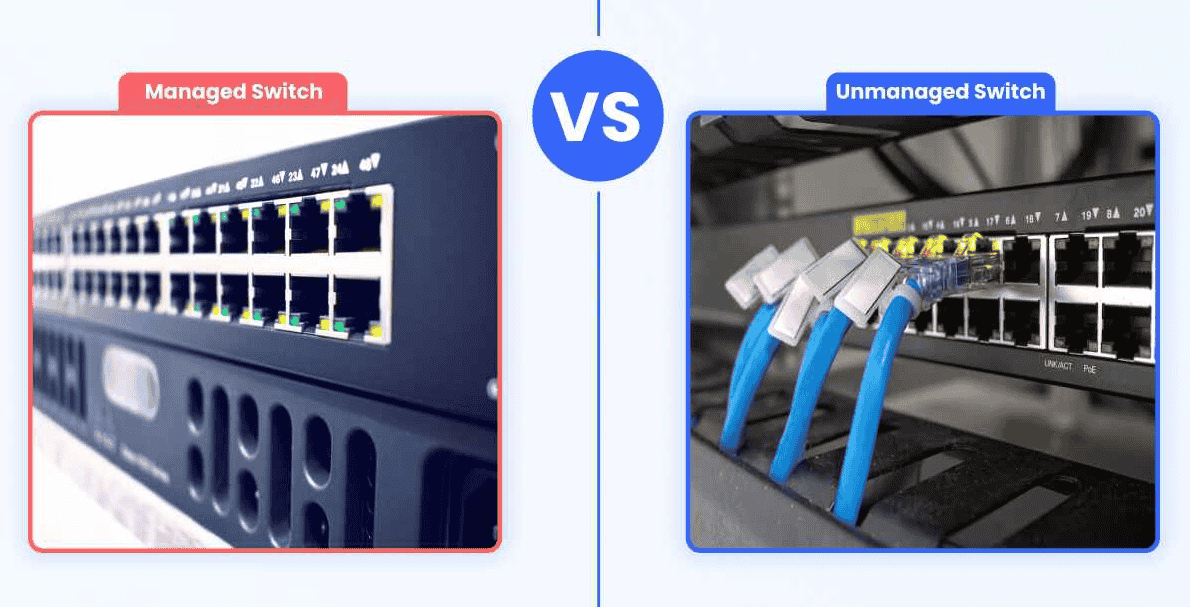
The managed vs unmanaged switch question comes down to control. An unmanaged switch is plug-and-play. It forwards traffic between connected devices with no configuration options and no visibility. A managed switch is fully configurable. It adds VLANs, QoS, per-port monitoring, and security controls like 802.1X and access control lists for business networks and larger networks.
- Managed vs Unmanaged Switch
- What Is the Difference Between a Managed and an Unmanaged Switch?
- Feature-to-Benefit: Managed vs. Unmanaged at a Glance
- Control and Configuration
- Security
- Routing
- How to Choose the Right Switch for Your Business
- Option 1: Unmanaged
- Option 2: Smart Managed Switches
- Option 3: Fully Managed and Layer 3 Switches
- Three Questions Before You Buy
- Network Size and Device Count
- Security Requirements
- Power Requirements
- IT Expertise
- What Can a Managed Switch Do That an Unmanaged Switch Cannot?
- VLANs keep departments and guest traffic apart
- QoS keeps VoIP calls from breaking up during busy hours
- Per-Port visibility turns troubleshooting from a guess into a lookup
- Advanced Features for Full Network Control
- Layer 3 Managed Switches for Routing
- Where Does a Smart Switch Fit Between the Two?
- What Is an Unmanaged Switch?
- Key Features and Advantages
- Common Use Cases
- How Should Cost Factor Into the Decision?
- Why Do So Many Managed Switches End Up Running as Unmanaged Ones?
- What Is a PoE Switch?
- Understanding Power over Ethernet (PoE)
- Benefits of Using a PoE Switch
- PoE Switch vs PoE Injector
- Managed PoE vs Unmanaged PoE Switches
- Frequently Asked Questions
- What Is the Main Difference Between a Managed and Unmanaged Switch?
- Do I Need a Managed Switch for a Small Office?
- Do I Need a Managed Switch to Power IP Cameras or Access Points over PoE?
- What Is a Smart Managed Switch, and How Is It Different from a Fully Managed Switch?
- Can I Mix Managed and Unmanaged Switches on the Same Network?
- How Much More Does a Managed Switch Cost Than an Unmanaged One?
- Does a Managed Switch Require Ongoing Maintenance?
- Final Thoughts
Most Ethernet switches sold into small networks and business networks fall on one side of that line, and smart switches sit in between. Speed isn’t what separates them. What separates them is the switch’s behavior after installation: whether anyone can see inside it or change how it works.
An unmanaged unit really is plug and run. Put it in a small space, cable up a few computers and staff devices, and it covers basic needs with no settings to touch. It works best when the network carries one kind of traffic and nobody needs to look inside.
Things get harder once the network infrastructure fills up with guest Wi-Fi, VoIP phones, cameras, and wireless access points. Now you need to prioritize voice and video, keep visitors away from staff gear, and monitor each port. That’s directing traffic, and an unmanaged box can’t do it. With a managed switch, an administrator can configure traffic through customizable settings, with configuration done over command-line access or cloud management. You also get performance data, traffic prioritization, and per-port visibility. Layer 3 models go a step further with static routing and full routing capabilities.
Industrial networks raise the stakes. Engineers on plant floors regularly find PLCs, robots, and sensors sharing switches with office PCs. On those sites, VLAN segmentation is what keeps one misbehaving laptop from interrupting critical activities.
Power adds one more layer. A PoE switch uses Power over Ethernet to deliver data and electrical power over one Ethernet cable. PoE comes in both managed and unmanaged versions, and that choice shapes deployment, monitoring, and security more than most buyers expect.
Managed vs Unmanaged Switch
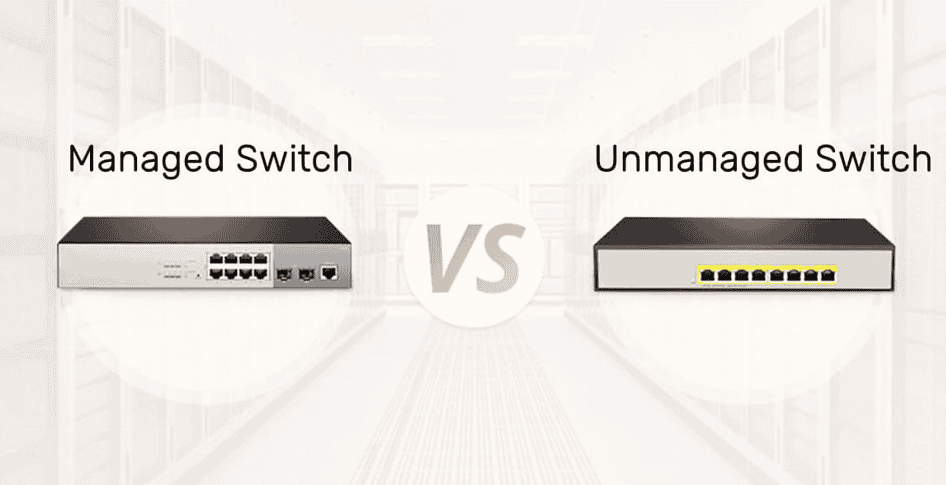
Pick an unmanaged switch when the network is small and flat and nobody needs to see inside it. Pick a managed switch when you need to separate, prioritize, or watch traffic. The sections below break that rule down by feature, risk, power, cost, and skill. Skip to the one that matches your situation.
What Is the Difference Between a Managed and an Unmanaged Switch?
The difference is whether you can change how the switch handles traffic after it’s plugged in. An unmanaged switch connects devices and forwards packets with its behavior fixed at the factory. A managed switch lets an administrator configure VLAN support, QoS, security settings, and monitoring, so the network can be segmented, prioritized, and watched in real time.
Both move data at the same transfer speeds for a given port class, and both negotiate duplexing type on their own. Raw speed isn’t the gap. Capabilities are. Field engineers usually describe the difference in three areas.
Control Over Traffic
On the unmanaged tier, forwarding traffic is the whole job, and every port is treated the same. On the managed tier, you can put separate departments on their own VLANs, give VoIP calls priority during busy hours, and keep guest devices on their own network segment, away from internal systems. Prioritizing voice or video becomes a QoS setting instead of a hope.
Visibility
An unmanaged box tells you nothing beyond a link light. A managed unit can be monitored through SNMP, a dashboard, cloud management, or the command-line interface, so network performance shows up as it happens. That visibility enables early detection of loops, bad cables, and odd traffic before staff notice anything.
Protection
Access control lists, 802.1X, and port-level rules give real protection against threats like a stranger’s laptop on an open jack. Unmanaged switches offer no security beyond physical access to the port.
The Two Tiers Side by Side
| Factor | Unmanaged Tier | Managed Tier |
| Price | Cheap | Higher upfront cost |
| Setup | Plugged in and running | Must be configured |
| Expertise Needed | None | Some networking knowledge |
| Features | Forwarding only | VLANs, QoS, SNMP, ACLs, 802.1X |
| Operability | Behavior fixed | Adjustable any time |
| Best Fit | Small, fixed network scale | Growing office, mixed traffic |
Cost is the obvious lever. Unmanaged switches are cheap, simple to run, and need no expertise to provision. A growing office with future expansion plans, mixed device types, and real security needs tends to outgrow them fast. IT professionals usually weigh network scale, availability, and deployment possibilities before price. If nobody will ever need to manage the switch, unmanaged is fine. If anything on it needs tuning, optimization starts with managed.
Feature-to-Benefit: Managed vs. Unmanaged at a Glance
An unmanaged switch gives up switching intelligence in exchange for plug-and-play simplicity. A managed switch turns features like VLAN support, QoS, and port security into practical benefits: separate segments, protected calls, and faster fault-finding.
| Feature | Unmanaged | Managed | What It Means for You |
| Configuration | None | Full configuration via web interface, CLI/command line, or vendor app | You decide how every port behaves |
| Segmentation | One flat network | VLAN support for staff, guest, surveillance, and payment traffic | Each group lives on separate segments |
| Traffic Prioritization | First come, first served | QoS for voice and video | A live call holds up during a large file transfer |
| Visibility | Link lights | Per-port monitoring, traffic stats, remote diagnostics | You find a fault without unplugging cables |
| Security Features | Minimal | Port security, ACLs, 802.1X authentication | An unknown device at a wall port gets no network access |
| PoE | Basic PoE on some models | PoE through PoE++ with per-port control | Powers IP cameras and access points |
| Typical Use Case | Home networks, single-room setups | Multi-department offices, retail, hospitality, business-critical apps | Matches the switch to the stakes |
Matching the Table to Real Sites
Headcount is a weak guide. Traffic variety matters more. A ten-person clinic with staff devices, patient Wi-Fi, and cameras carries more traffic types than a design studio of forty people where every device type does the same thing. The clinic needs segmentation by department and access control lists between them. The studio may not. Installers see this all the time: the small, busy site needs more switch than the large, quiet one.
Control and Configuration
Unmanaged switching operates automatically with no configuration. Managed switching follows user-defined rules: ports configured individually, VLANs assigned, traffic prioritized, and network status monitored in real time. The core trade is simplicity versus direct control.
For simple static networks and other low-complexity environments, automatic behavior is a feature because there’s nothing to misconfigure. The limitation shows up when something breaks. Without diagnostic visibility, administrators are stuck at the physical layer, checking cables and lights, when they should be able to identify which port is flooding or failing.
Technicians running growing networks put it plainly. Once many devices share a switch, they need visibility and control over how the network behaves, not just forwarding traffic. Managed switches let them resolve problems and trace communication issues from a console. That’s what keeps performance stable and secure as the site expands.
Security
Managed switches close the biggest security gap in unmanaged gear. On an unmanaged switch, every connected device shares the same network environment, and nothing enforces boundaries between them. Managed models add segmentation, access controls, and traffic monitoring, so you can isolate critical equipment and reduce unnecessary exposure.
The more consequential the operational environment, the more this matters. In industrial environments and OT environments, a controller sitting on a flat network with general business traffic is a risk nobody should accept.
Security Tools That Do the Work
- VLAN Segmentation: Logical separation of devices into network zones on shared hardware
- Access Control Lists: Traffic policies defining which hosts can talk to which
- Port-Based Access Control: Devices must authenticate before a port opens
- MAC Address Filtering: Only known hardware addresses are accepted on a port
- Port Shutdown Policies: A port goes dark automatically when a rule is violated
- Secure Remote Management: Encrypted admin access instead of plain-text logins
When one device is compromised, segmentation helps contain a problem to its own zone instead of the whole building.
Routing
Unmanaged switches and Layer 2 managed switches don’t route traffic. Devices talk freely only within the same segment, and inter-segment communication needs a separate device such as an external router or firewall. Layer 3 managed switches make routing decisions inside the switching infrastructure itself.
Take a plant with a production PLC network on one VLAN and unrelated office devices on another. An engineering workstation needs to reach the PLCs. With Layer 2 gear, every packet travels out to the router and back, and that dependency turns into a bottleneck in larger networks. With inter-VLAN routing on Layer 3, traffic between segments stays on the switch and moves faster, while a firewall still guards the edge between networks. That’s why complex networks with heavy VLAN segmentation usually end up with Layer 3 at the core.
How to Choose the Right Switch for Your Business
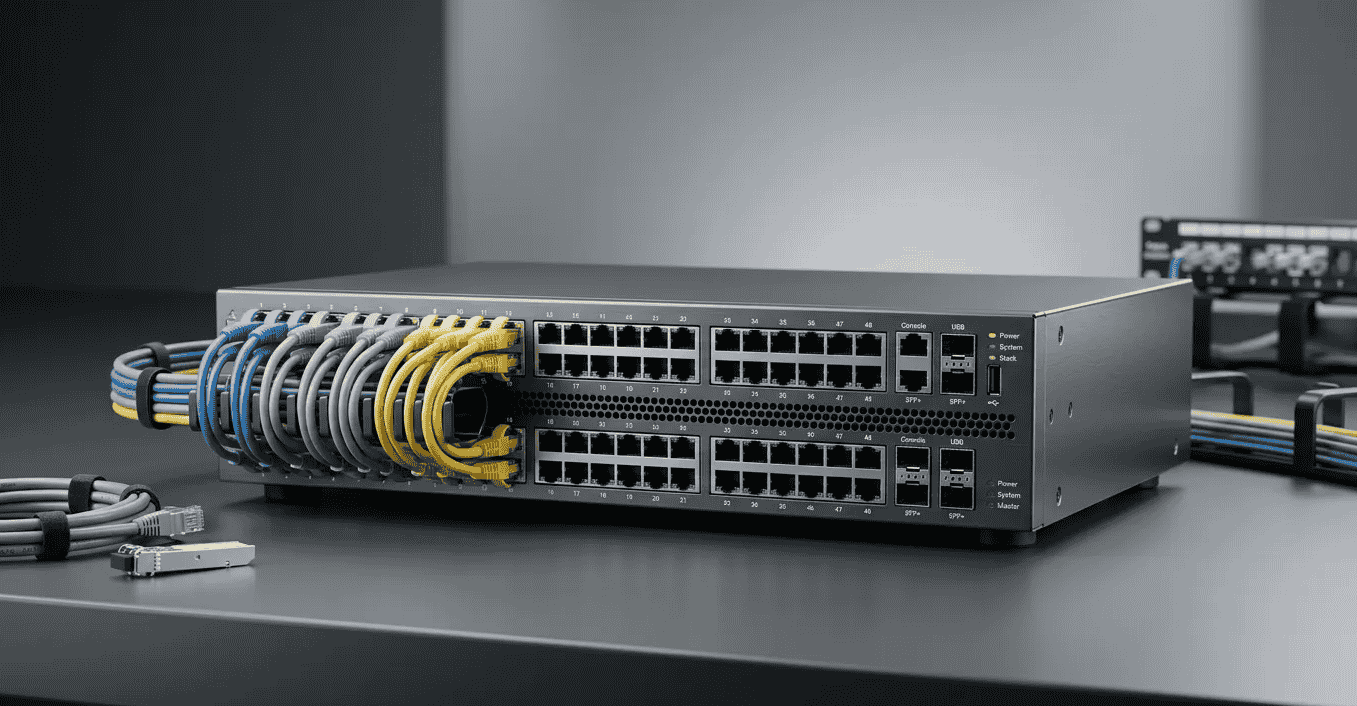
Choose for what the network must do over the next two years, not just today. With a dozen or so devices carrying one kind of traffic, unmanaged is fine. If you need to segment, prioritize, or monitor anything, go managed. The options are ranked from simplest to most capable.
Option 1: Unmanaged
This tier fits very small networks and uncomplicated networks: a single-room office with five computers and a printer, or a temporary setup for an event. Picking unmanaged here is not a downgrade. It’s the right tool, and it works well as an add-on in low-stakes areas.
Option 2: Smart Managed Switches
This is the compromise for small businesses with limited budgets. It makes sense the moment you add guest Wi-Fi, VoIP phones, security cameras, or a second department. You get basic VLANs and QoS without full enterprise complexity.
Option 3: Fully Managed and Layer 3 Switches
This tier is built for enterprise-level businesses, government agencies, universities, healthcare organizations, and larger networks where availability and reliability are critical requirements. Layer 3 switches add routing on top of full control and security protection.
Three Questions Before You Buy
- What Are Your Current Needs Versus Future Growth Plans? Replacing hardware in two years costs more than buying flexibility now.
- Which Traffic Types Share the Physical Network? Voice, video, PoE devices, and payment systems each raise your performance requirements.
- How Much Configuration Time Can You Give It? More features mean more setup, and you need someone to watch network performance afterward.
Vendors offer a range of models at different levels of complexity, and businesses of all sizes mix tiers to balance cost and security. Answer those three questions before you compare spec sheets.
Network Size and Device Count
Device count matters, but device diversity and traffic complexity matter more. An unmanaged switch is sufficient for small static networks with a limited number of similar devices. A managed switch is the better long-term choice once the site will grow or the device mix widens, because it can scale gracefully.
Network consultants often see 30 identical thin clients run happily on unmanaged gear, while eight devices split across phones, cameras, and guest access do not.
Security Requirements
If your network carries sensitive data, cameras, or production systems, a managed switch is the stronger choice. Where IT and OT systems meet, managed Layer 3 switches add routing control between zones for stronger separation.
Remote access is where many sites get exposed. A vendor connecting in to service operational technology should land in one zone, not on the whole floor. Network segmentation decides whether your connected equipment is reachable from the guest network.
Power Requirements
If you’re powering cameras, wireless access points, or access control systems, you need a PoE switch sized against your total switch power budget. Power over Ethernet cuts out separate power runs and simplifies deployment, but only when the math works.
Power Planning Checklist
- Required Power Per Device: Check the datasheet for every PoE-enabled device, not just the class label
- Cable Distance: Standard Ethernet tops out around 100 meters per run
- Device Location: Ceiling cameras and outdoor access points are where PoE pays off most
- Environmental Conditions: Industrial monitoring equipment and outdoor sensors may need hardened, temperature-rated switches
- Future Expansion Needs: Leave headroom so the next camera doesn’t trip the budget
IT Expertise
Match the switch tier to the skills you actually have. Unmanaged switches need no technical knowledge. Smart switches need light configuration through a web page. Managed switches deliver long-term value only when someone with dedicated IT resources handles configuration and maintenance.
If the site needs advanced architecture but nobody in-house can run it, bring in an experienced networking partner to deploy and document it. A managed switch nobody touches gives you no extra visibility, no added security, and no more reliable network performance than a cheap one.
What Can a Managed Switch Do That an Unmanaged Switch Cannot?
A managed switch can segment devices into isolated VLANs, prioritize traffic with QoS, and monitor traffic on every individual port. An unmanaged switch has none of those three capabilities. Beyond them, a managed switch supports redundancy, stacking, link aggregation, and remote management through a web interface or command-line interface.
That control has real operational consequences. Network administrators can build ring and mesh topologies protected by Spanning Tree Protocol, so a cut cable reroutes traffic instead of taking a floor down. Stacking lets several units act as one, and aggregation bundles links for more bandwidth.
In large networks, centralized network management software or a software-defined network (SDN) pulls telemetry data from every switch. That gives administrators full control over traffic flow, how devices communicate, and how they reach common services and applications. Security features let them apply security policies, spot attacks, and remediate breaches quickly.
Managed switches can also control electric power to endpoint devices port by port and give quality-of-service handling to time-sensitive traffic like voice. All of that adds up to reliability and the ability to optimize performance instead of reacting to it. Troubleshooting stops being guesswork, which the three sections below show in detail.
VLANs keep departments and guest traffic apart
VLANs split one switch into several logical networks, so guest traffic never touches staff systems even though everything shares the same physical hardware. Each VLAN is its own broadcast domain.
Picture a retail store. Point-of-sale terminals go on their own VLAN, staff Wi-Fi on a second, and guest Wi-Fi on a third. On an unmanaged switch, a guest device and the payment terminal share one network segment. On a managed switch, the POS VLAN is simply unreachable from the guest side.
Put the payment gear on its own VLAN first.
QoS keeps VoIP calls from breaking up during busy hours
QoS tags voice traffic as high priority, so VoIP packets jump the queue when a link gets congested. That’s why calls stay clear on a busy network.
Without QoS settings, the switch handles every packet first in and first out. On a quiet network, nobody notices. Add file downloads, a large file transfer, or an overnight backup that runs into the morning, and the voice delay budget gets blown. Calls stutter, words drop, and people blame the phone provider.
Per-Port visibility turns troubleshooting from a guess into a lookup
Per-port visibility shows you which port a problem lives on — including error counts, traffic levels, and whether a port is active — so you don’t have to guess.
On an unmanaged network, when a connected device has dropped offline, the usual diagnostic tool is unplugging cables one at a time until something changes. A managed switch shows the failing port in seconds. Support techs often say this is one of the three capabilities that justifies the price on its own, and it settles a lot of purchase decisions after the first bad outage.
Advanced Features for Full Network Control
Advanced managed features let you logically separate devices on the same physical network, keep critical traffic moving, and diagnose problems without a site visit. Here’s what each one solves in a mixed office-and-production building.
| Feature | What It Solves |
| VLAN Configuration | Puts production equipment, engineering workstations, IP cameras, office systems, and guest networks on different VLANs |
| Quality of Service (QoS) | Traffic prioritization for control and voice data over bulk transfers |
| Access Control Lists | Blocks unnecessary traffic between zones |
| Port Security | Locks ports to approved hardware to strengthen security |
| Port Monitoring and Mirroring | Copies a port’s traffic to an analyzer for deep network diagnostics |
| Link Aggregation | Combines uplinks for bandwidth and failover |
| Redundancy Protocols | Keeps rings and backup paths loop-free and self-healing |
| SNMP-Based Network Monitoring | Feeds port health and alerts into one dashboard |
Mirroring gets overlooked. Integrators who troubleshoot intermittent PLC faults often say a mirrored port and a packet capture solved in an hour what weeks of swapping hardware didn’t.
Layer 3 Managed Switches for Routing
A Layer 3 managed switch combines switching and routing in one box, so it can route between VLANs and IP subnets without an external router. That’s why it’s often called a multilayer switch.
A Layer 2 switch relies on MAC-address-based traffic forwarding, so devices can only reach each other on the same network segment. A Layer 3 switch reads IP addresses, which lets it pass approved traffic between multiple VLANs and drop everything else.
On a factory floor, PLCs, HMIs, robots, and cameras sit in their own network zones as production devices, while enterprise systems live in separate subnets. Layer 3 routing ties them together under strict rules.
Where Layer 3 Earns Its Place
- Industrial Automation Networks: Routing capabilities in industrial environments without extra hardware
- OT and IT Network Separation: Controlled paths between plant and office
- Factory Segmentation and Warehouse Segmentation: Each line or zone on its own subnet
- Large Office Networks: Fast inter-VLAN paths at the core
- Multi-Department Business Environments: Departments isolated but still able to share services
Where Does a Smart Switch Fit Between the Two?
A smart switch sits in the middle as a balance of cost and features. It gives smaller businesses VLAN, QoS, and port status monitoring through a simplified web interface at a lower cost than a fully managed switch, but with limited configuration options. Vendors sell this smart tier as “lightly managed switches” or the “easy-managed category,” and feature sets vary by brand.
What the Smart Tier Usually Covers
- Web-Based Configuration: No command line needed
- Simple VLAN Setup: Separating guest traffic from the staff network
- Limited QoS Controls: Enough for prioritizing voice so calls stay clear
- Basic Link Aggregation: Two uplinks bonded together
- Loop Prevention and Flow Control: Protection against the most common mistakes
What It Often Leaves Out
- Command-Line Access: Needed for scripting and bulk changes
- Granular Traffic Rules: Full access control lists
- Port-Based Authentication: 802.1X for authenticating devices plugged into a wall port
- SNMP: Often limited or missing
- Routing Features: Static routing, IP interface functions, and a built-in DHCP server
- Cloud Management: Available only on some product lines
Routing between segments usually needs a separate gateway when you use a smart switch. A managed Layer 3 switch handles it internally. People who outfit small businesses say the smart tier covers most single-site offices with simpler operations. Check the 802.1X line on the spec sheet before you buy.
What Is an Unmanaged Switch?
An unmanaged switch is a basic Ethernet switch that connects devices and starts transmitting data as soon as you power on. It needs no software configuration, has no web interface, and requires no network administration. That plug-and-play operation and low cost are its whole appeal.
Under the hood, it’s smarter than old Ethernet hubs, which repeated every frame to every port. An unmanaged switch builds MAC-address tables and sends frames only where they need to go, and autonegotiation handles speed and duplex on its own. No one needs to touch it after the cables go in.
Simple network topologies — star, daisy chain, and small flat designs — work fine with unmanaged gear. The problems start with broadcast storms and congestion. Because an unmanaged switch has no traffic management layer, broadcast traffic and multicast traffic go everywhere on the segment. On a small network that’s invisible. On a busy one, it wastes bandwidth and slows everything down. That’s the ceiling.
Key Features and Advantages
The core advantage of an unmanaged switch is plug-and-play installation with no configuration required and minimal IT expertise. For basic networks and low-complexity environments, that simplicity is the point — there’s nothing to set up incorrectly, and ongoing management cost is zero.
Reliable connectivity is what you get. Nothing more, nothing less. Devices on the same network segment communicate at wire speed from the moment the switch powers on. Upfront cost is low, and the switch works identically on day one and day one thousand.
Where it fits: small environments — a break room, a storage closet, a single machine cell — where every device does the same job and nobody needs security segmentation or traffic visibility. In those spots, an unmanaged switch is the right call, not a compromise.
Common Use Cases
Unmanaged switches are the right fit for simple, single-purpose installations where traffic management isn’t needed. Common deployments include small office networks, home offices, basic retail systems, simple CCTV installations, temporary network expansion, small machine cells in industrial environments, and non-critical device connections in larger businesses.
They don’t suit routing, monitoring, network segmentation, traffic prioritization, or access control — those jobs belong to managed gear. But for basic Ethernet connectivity in a contained space, they’re reliable and cheap, and adding one to a managed backbone for non-critical device connections is a completely normal architecture.
How Should Cost Factor Into the Decision?
Cost matters — but the real question is whether you’re comparing the hardware price or the total cost of operating the network. An unmanaged switch is cheap. The price gap over an equivalent managed port is real. What that gap buys you is the absence of configuration time, and nothing else.
Here’s where it goes wrong. Unmanaged switches are the default choice in many offices handling general office traffic, voice, payments, and customer data, not because they’re the right tool but because the hardware price is low. Then a performance issue or security issue appears, a technician spends hours doing trial and error on a flat network without per-port monitoring, and the cost of that single call exceeds the price gap between managed and unmanaged equivalents many times over.
Network downtime has a cost. Undiagnosed faults have a cost. The inability to provision VLANs or add routing features without replacing hardware entirely has a cost.
A reasonable way to think about it: if the network carries anything consequential — staff data, voice calls, payment terminals, operational equipment — the additional capabilities of a managed switch pay for themselves after one avoided incident. For a printer in a break room, unmanaged is fine. For anything more, run the numbers before you let price be the choice driver.
Why Do So Many Managed Switches End Up Running as Unmanaged Ones?
It happens at nearly every site. A fully capable managed switch sits in a rack, plugged into a single flat network, with no VLANs configured and no QoS settings touched. The features are there. Nobody used them.
The reasons are consistent. First, budgeting and the purchase order are handled separately from setup work. Someone specifies a managed switch — often because the next tier up was only slightly more expensive or because it appeared on an approved list — and a general IT hire installs it without the skill or time to configure it. The switch ships in an entry-level tier configuration: everything on one network, no segmentation, no prioritization. It stays that way.
Second, terminology is the barrier. VLAN and QoS features appear in every managed switch’s interface, but command-line access and centralized configuration require a level of networking knowledge that a general IT hire may not have. Without training or a template-driven configuration tool, the interface sits untouched.
Third, network audits are rare. Without regular checks, nobody notices that VLAN settings were never applied, that segmentation doesn’t exist, or that the switch is running as a fully managed premium device delivering unmanaged results.
The fix isn’t complicated. Use a smart switch if nobody on site can configure a managed one. Use a managed switch with a controller or centralized configuration platform if you need features but lack the skill. Or bring in someone to configure it once, document it properly, and leave behind templates for every future site. A flat network on a fully managed tier device is the worst of both worlds — you pay the managed price and get unmanaged performance.
What Is a PoE Switch?
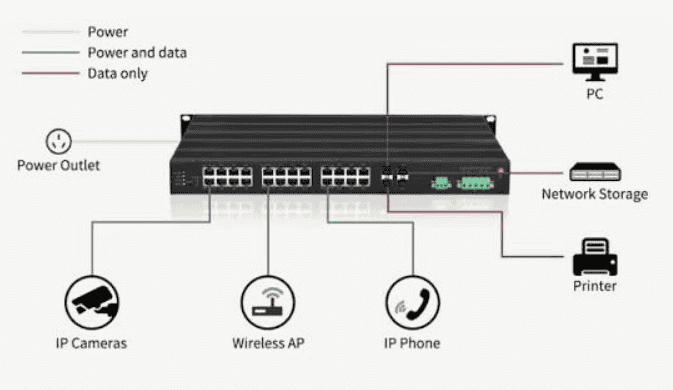
A PoE switch delivers both network connectivity and electrical power over a single Ethernet cable to supported devices. There’s no separate power outlet needed at the device end — the switch port does both jobs.
That matters most where running separate power runs is impractical: ceiling-mounted IP cameras, wireless access points in open floor plans, VoIP handsets on desks, and access control readers on door frames. The PoE switch sits in the comms room, and the cable handles everything to the device location.
Understanding Power over Ethernet (PoE)
Power over Ethernet lets a PoE switch supply electrical power to connected devices simultaneously over standard Ethernet cabling. The switch port sources the power, and any compatible PoE standard device — IP cameras, wireless access points, VoIP phones, IoT sensors, access control systems, industrial monitoring devices, and PoE-enabled lighting — draws what it needs up to its class limit.
The figure to watch is total power budget. A switch port delivers power, but the switch itself has a maximum wattage it can supply across all ports at once. Add up the required wattage for every powered device before you spec the switch. A camera that draws 25W on a switch with a 15.4W-per-port PoE budget won’t work. Neither will 24 fully powered devices on a switch with a 185W total budget if the math doesn’t hold.
Compatible PoE standards determine what each port can deliver:
| Standard | Max Per Port | Typical Devices |
| IEEE 802.3af (PoE) | 15.4W | IP phones, basic cameras |
| IEEE 802.3at (PoE+) | 30W | PTZ cameras, dual-band access points |
| IEEE 802.3bt (PoE++) | 60W / 90W | High-power access points, thin clients |
Benefits of Using a PoE Switch
PoE switches simplify installation in ways that matter most in difficult-to-reach areas. Running one cable instead of two cuts cable clutter, lowers electrical installation costs, and removes the constraint on device placement. A camera goes where coverage requires, not where a power outlet happens to be.
Centralized network and power management from one switch also means easier deployment: power cycles happen from the management interface, not from a ladder. That alone saves time on every service call.
PoE Switch vs PoE Injector
A PoE switch has multiple Ethernet ports that deliver both power and data connectivity to multiple devices from a single unit. A PoE injector is a separate device that adds PoE capability to a single Ethernet port on an existing non-PoE switch — one injector, one PoE-enabled device.
If you have one access point to power and an existing network, a PoE injector does the job without replacing anything. If you’re powering multiple devices across a scalable network, a PoE switch is cleaner, more manageable, and cheaper per port at scale. Use an injector for exceptions. Use a PoE switch for infrastructure.
Managed PoE vs Unmanaged PoE Switches
An unmanaged PoE switch delivers plug-and-play power to connected devices with no configuration. A managed PoE switch adds the ability to monitor ports, manage VLANs, prioritize traffic, and control power delivery to individual devices remotely — including rebooting a camera or access point from the dashboard without touching it physically.
For simple deployments where PoE power is the only requirement, an unmanaged PoE switch is sufficient. For sites with security requirements, monitoring requirements, or a mix of critical cameras, sensors, industrial devices, and access points that need traffic separation and advanced configuration, a managed PoE switch is the right call. The ability to prioritize traffic to critical cameras or remotely cycle power to a locked-up sensor is worth the extra cost the first time you need it.
Frequently Asked Questions
What Is the Main Difference Between a Managed and Unmanaged Switch?
A managed switch can be configured, monitored, and segmented. An unmanaged switch forwards traffic between connected devices with no configuration options, no visibility into what’s happening on each port, and no ability to separate traffic types using VLANs. The practical difference is control — including the ability to diagnose a fault remotely rather than by unplugging cables.
Do I Need a Managed Switch for a Small Office?
Not necessarily. A handful of devices doing the same job on a flat network is fine on an unmanaged switch. The threshold shifts the moment you add security cameras, VoIP, guest Wi-Fi, or staff traffic that needs to stay separate from device traffic. At that point a smart switch — not necessarily a full managed switch — is worth the cost. It gives you basic VLAN separation and QoS without deep configuration.
Do I Need a Managed Switch to Power IP Cameras or Access Points over PoE?
No. Unmanaged switches with PoE will power IP cameras and access points without any configuration. You need a managed switch if you also want to put those cameras on an isolated segment, monitor port-level power, or prevent an access point that drops offline from pulling everything else with it. Power over Ethernet and network management are separate decisions — a device can be PoE-powered on an unmanaged port and still be a security gap if it’s on the same segment as everything else.
What Is a Smart Managed Switch, and How Is It Different from a Fully Managed Switch?
A smart managed switch provides VLAN, QoS, loop prevention, and port status monitoring through a simplified web interface. It handles traffic separation and basic prioritization without requiring command-line access or deep networking knowledge. A fully managed switch adds SNMP, 802.1X authentication, granular access control lists, static routing, inter-VLAN routing, a DHCP server, cloud management, and device-level authentication — plus CLI access for scripted configuration. If you need routing functions between segments or full SDN integration, the smart tier won’t get you there.
Can I Mix Managed and Unmanaged Switches on the Same Network?
Yes. It’s a common and practical architecture. Run the managed switch at the network core where VLANs and traffic prioritization matter, and use unmanaged switches in lower-stakes areas — a break room, storage closet, or a device cluster that only needs simple connectivity. Traffic from unmanaged ports still lands on whatever VLAN the uplink port is assigned to. Just don’t put anything sensitive downstream of an unmanaged switch without thinking through what that port can reach.
How Much More Does a Managed Switch Cost Than an Unmanaged One?
The cost per port gap varies by brand and feature set. Entry-level managed switches run two to five times the price of unmanaged equivalents at the same port count. That gap narrows at higher port counts and widens for managed switches with advanced security, routing features, or PoE++. The more relevant number is what undiagnosed faults, network downtime, or a security incident costs when the network carries anything important. For networks that matter, the managed price is rarely the expensive choice.
Does a Managed Switch Require Ongoing Maintenance?
Initial VLAN setup and QoS setup take the most effort. After that, day-to-day monitoring on cloud-managed switches is low — alerts surface problems without anyone actively watching the dashboard. Firmware updates, periodic VLAN audits, and access control list reviews are the ongoing work. None of it is hands-on work in the rack. For most sites, the effort after initial configuration is light.
Final Thoughts
The network you build today will carry more traffic, more device types, and higher stakes in two years than it does right now. That’s not speculation — it’s what happens to every growing office, warehouse, clinic, and plant floor.
A single-room setup with a handful of devices and one kind of traffic doesn’t need VLANs configured, sensors segmented, or QoS rules applied. An unmanaged switch is the right hardware there, and buying managed gear for that job is waste, not prudence.
The moment you cross into more than one department, OT networks that share infrastructure with office systems, guest Wi-Fi alongside staff traffic, VoIP alongside cameras alongside controllers, or any environment where separation and resilience matter — that’s where managed Layer 3 switching earns its place. VLANs configured from day one, traffic control locked in before something breaks, IT/OT boundary enforcement built into the physical network rather than bolted on later.
For everything in between — small businesses with some device diversity, sites that need basic segmentation without deep IT resources — the smart switch tier is the honest answer. It covers most of what those sites need without the configuration overhead of a fully managed deployment.
PoE-enabled infrastructure adds one more lens. Don’t treat power and management as the same decision. You can have unmanaged PoE for simplicity and pay for it later when a camera segment shares a flat network with payment hardware. Match the PoE tier to the management tier the site actually needs.