

Best Case bankruptcy software is a widely used bankruptcy petition preparation and electronic filing platform for attorneys that helps firms draft forms, run means testing, import creditor data, and file through CM/ECF. For most searchers, the real decision is whether its desktop or cloud setup, pricing model, support experience, and alternatives make it the best fit for their bankruptcy practice.
- What Is Best Case Bankruptcy Software and Who Is It For?
- How Does Best Case Handle the Bankruptcy Means Test?
- Can Best Case Import Credit Reports and Due Diligence Data?
- How Does Best Case File Bankruptcy Cases Through CM/ECF?
- Is Best Case Easy to Use for Forms, Plans, and Daily Case Prep?
- Should You Choose Best Case Desktop or Best Case Cloud?
- What Are the Best Alternatives to Best Case Bankruptcy Software?
- What Do User Ratings Say About Best Case?
- What Problems Do Some Users Report With Best Case Cloud?
- Why Do Some Attorneys Prefer Best Case for Everyday Petition Work?
- How Does Best Case Help Teams Manage Calculations, Documents, and Filing Tasks?
- What Do Users Like About OneTouch Filing and Form Management?
- How Does Best Case Help With Organization and Document Search?
- Is Best Case Intuitive for Petition and Chapter 13 Plan Drafting?
- Where Does Best Case Fall Short in Bankruptcy Intake Workflows?
- What Should a Modern Bankruptcy Software Stack Look Like?
- When Do Bankruptcy Attorneys Need Financial Investigation Tools Beyond Filing Software?
- What Facts About Best Case Are Consistently Verified Across Sources?
- What Is Best Case Bankruptcy Software?
- How Much Does Best Case Bankruptcy Software Cost?
- Who Owns Best Case Bankruptcy Software?
- Which Alternatives to Best Case Should Bankruptcy Lawyers Consider?
- Does Best Case Bankruptcy Software Work on Mac?
- How Does Best Case Connect to Bankruptcy Courts for Filing?
In my experience, attorneys rarely ask whether Best Case can produce a petition. Its market reach answers that. The better question is how the software fits your firm’s intake habits, hardware, budget, and tolerance for support delays.
What Is Best Case Bankruptcy Software and Who Is It For?
Best Case is Stretto’s petition preparation and e-filing suite, built for consumer and small business bankruptcy attorneys who file Chapter 7, Chapter 13, and Chapter 11 cases.
The software’s core job is turning debtor data into the Official Bankruptcy Forms. That covers the Form 106 schedules, the Statement of Financial Affairs (Form 107), the Statement of Intention (Form 108), and the means test worksheets. These forms are long and highly structured. Title 11 of the United States Code and local court rules leave little room for sloppy disclosures.

Best Case fits best in high-volume consumer practices, where paralegals prepare dozens of similar petitions each month. Solo practitioners use it as well. Many firms treat it as the drafting engine at the center of their bankruptcy work rather than a full practice management system.
How Does Best Case Handle the Bankruptcy Means Test?
Best Case runs an automated means test calculator that pulls Census Bureau median family income data and IRS expense standards, then flags a presumption of abuse before you file.
The calculator applies three sets of deductions. IRS National Standards cover food, clothing, housekeeping supplies, and personal care based on family size. IRS Local Standards add housing, utility, and vehicle allowances by state and county. Other Necessary Expenses cover items like health insurance premiums, court-ordered support, and childcare.
Staff enter household size, county of residence, and income history, and Best Case applies the geographic caps. For Chapter 7, the output lands on Forms 122A-1 and 122A-2. For Chapter 13, disposable monthly income flows to Forms 122C-1 and 122C-2.
The means test is one of the most error-prone parts of consumer practice. A calculator that catches an above-median debtor early lets you rethink Chapter 13 before the trustee raises the issue.
Can Best Case Import Credit Reports and Due Diligence Data?
Best Case can import tri-merge credit reports directly into Schedule D and Schedule E/F through CIN Legal Data Services, a Stretto business unit, and Stretto states this saves an average of 60 minutes of data entry per case.
The import pulls creditor names, notice addresses, account numbers, debt classifications, and current balances. That matters more than the time savings alone. An omitted creditor can trigger adversary proceedings, nondischargeability disputes, or post-petition amendments that come with extra court fees.
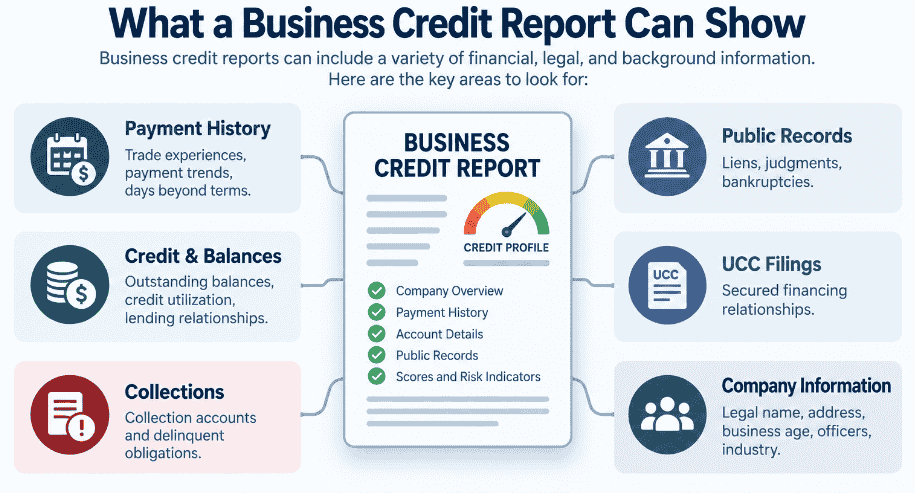
Due diligence extends beyond credit data. From inside Best Case, firms can order IRS tax transcripts through automated Form 4506-C requests, real estate valuations, and debtor education course certificates. One reviewer called out the ability to order credit counseling and credit reports in the platform as a standout feature.
How Does Best Case File Bankruptcy Cases Through CM/ECF?
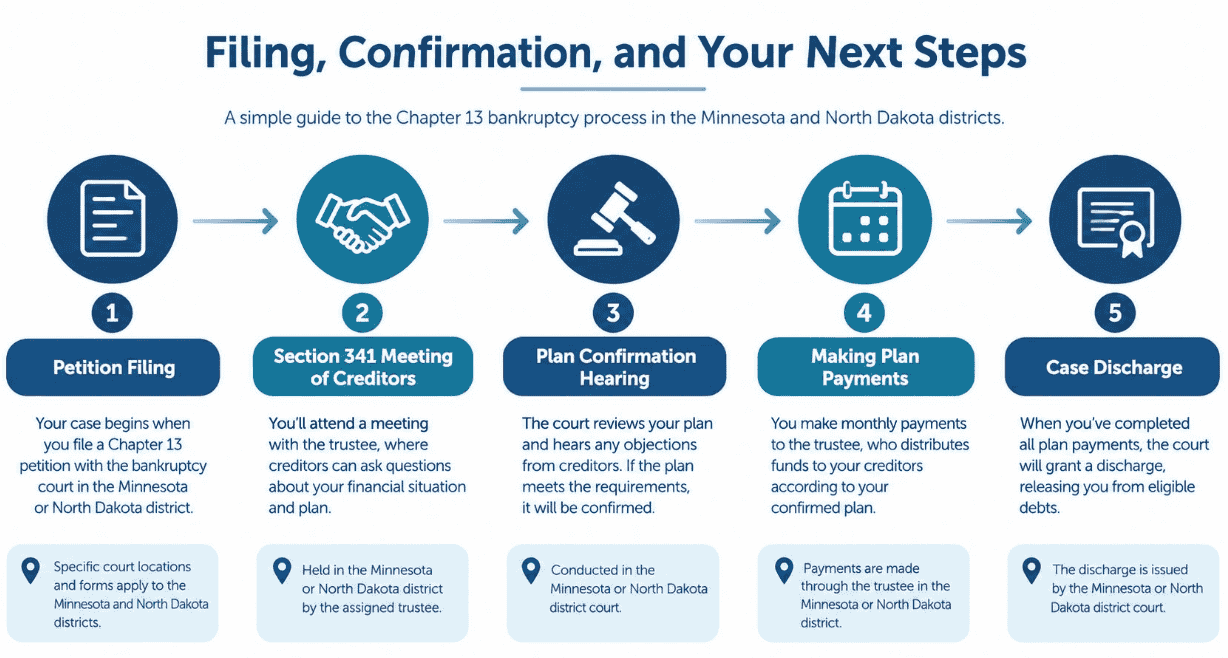
Best Case files through OneTouch, a proprietary engine that packages the petition into court-compliant PDFs, submits it to the district’s CM/ECF server, and returns the case number and court receipt.
Manual CM/ECF filing is tedious. A paralegal logs in, picks docket event codes, uploads PDFs in a fixed order, and pays through Pay.gov. OneTouch handles those steps using the attorney’s filing credentials. It selects docket codes on its own and processes the filing fee without manual portal navigation.
After submission, OneTouch pulls the Notice of Electronic Filing, the assigned case number, and the panel trustee assignment. It stores the receipt in the matter record. OneTouch also automates later filings, including the Certificate of Debtor Education (Form 423) and proposed Chapter 13 plans.
Is Best Case Easy to Use for Forms, Plans, and Daily Case Prep?
Most reviewers describe Best Case as user friendly and intuitive for forms and plans, though at least one notes that training is necessary before staff work efficiently.
Stretto updates federal and local forms, along with IRS and Census Bureau data, so firms stay current with court requirements. The feature set includes supplemental forms, local forms, custom Chapter 13 plans, and a Chapter 13 Plan Calculator. Users point to step-by-step guidance when adding information.
If you’re searching for a Best Case bankruptcy software tutorial or video tutorial, factor in onboarding time. In my view, new paralegals learn the schedule fields quickly, but tasks like creating merge documents or editing local quick forms take hands-on practice. Ask Stretto what training comes with your license before you sign.
Should You Choose Best Case Desktop or Best Case Cloud?
Best Case Desktop suits firms that need offline access and deep customization, while Best Case Cloud suits firms that want remote access and automatic updates without managing servers.
Desktop installs on a local workstation or office server and stores data in Microsoft SQL Server Express or Access database engines. That gives you a custom forms editor and fast keyboard navigation. It also makes your firm responsible for backups, hardware, network file locks, and manual software updates.
Cloud runs in modern web browsers and pushes form and median income updates automatically. The tradeoff is clear: if your internet drops, drafting and filing stop. Some legacy form macros from Desktop are also missing in the browser interface.
| Factor | Best Case Desktop | Best Case Cloud |
| Deployment | Local Windows workstation or LAN server | Web browser |
| Offline access | Full offline support | None |
| Updates | Manual, managed by firm | Automatic on host servers |
| Document storage | Local database files | Secure cloud storage included per user |
| Customization | Extensive custom forms editor | Some legacy macros unavailable |
| IT burden | Firm handles backups and maintenance | Shifted to host |
| Pricing structure | Annual license plus maintenance renewals | Per-user subscription, monthly or annual payments |
| Supported chapters | 7, 9, 11, 12, 13, 15 | 7, 9, 11, 12, 13, 15 |
If you’re looking for a Best Case bankruptcy software download, note that one software directory lists a Windows build at version 25.0, with CCH Incorporated listed as the original developer. Confirm the current release and any update schedule directly with Stretto. For iPad or tablet use, test Best Case Cloud in your device’s browser before committing, as the sources don’t confirm native iPad support.
What Are the Best Alternatives to Best Case Bankruptcy Software?
The main dedicated alternatives to Best Case are NextChapter, Jubilee by LegalPRO Systems, and Stretto’s own CINcompass, and each favors a different style of practice.
NextChapter, acquired by Fastcase and now part of vLex, uses a linear interview workflow and a debtor portal for mobile uploads. It connects with Clio and offers optional virtual paralegal staffing. Large commercial Chapter 11 matrices can slow the browser, and it only supports chapters 7, 11, and 13.
Jubilee leans toward practice management, with automatic court notice parsing, two-way client texting, and payments powered by LawPay with IOLTA compliance. It covers chapters 7, 11, 12, and 13. Its custom templates are less flexible than Best Case’s desktop tools. CINcompass blends petition prep with calendaring, task tracking, and time capture, but solo practitioners focused purely on form-filling may find it overly complex for simple consumer cases.
| Platform | Deployment | Chapters Supported | E-Filing | Standout Strength | Pricing Approach |
| Best Case | Desktop or browser | 7, 9, 11, 12, 13, 15 | OneTouch CM/ECF | Credit imports and means test | Annual license or per-user subscription |
| NextChapter | Browser | 7, 11, 13 | Direct CM/ECF integration | Debtor portal and Clio connection | Tiered annual volume packages |
| Jubilee | Browser | 7, 11, 12, 13 | Click-to-File CM/ECF | Court noticing and LawPay payments | Tiered monthly subscriptions |
| CINcompass | Browser | Not published | Not published | Integrated practice tools | Custom quotes by case volume |
General legal case management tools like Clio Manage (rated 4.6/5 from 1,146 reviews), 8am MyCase (4.4/5 from 414 reviews), and Smokeball (4.7/5 from 389 reviews) appear as broader alternatives on review sites. Those platforms handle case management across practice areas. They don’t replace dedicated bankruptcy petition software for chapter-specific workflows.
What Do User Ratings Say About Best Case?
Best Case holds a 4.1 out of 5 rating from six verified reviews, with 66% five-star, 16% four-star, and 16% one-star scores, and no reviews at two or three stars.
All six reviewers work at small businesses with 50 or fewer employees in North America. They split evenly between law practices and legal services firms. Five identify as users and one as an administrator. The reviews span from May 2019 through February 2025.
Six reviews is a thin sample for a platform that prepares more than 80% of bankruptcy cases filed nationwide. The pros and cons are still worth reading before you buy. Tagged themes include document sharing as a noted strength, and software bugs, poor customer support, functionality issues, and compatibility issues as recurring complaints.
What Problems Do Some Users Report With Best Case Cloud?
One attorney who rated Best Case Cloud 1 out of 5 in February 2025 reported lost credit counseling documents, ECF sync failures, and slow, fragmented customer support.
That reviewer said the platform kept unsyncing with the bankruptcy court as though the attorney weren’t active in ECF. Reaching support was hard. Calls got transferred between agents, and representatives in other time zones sometimes ended their workday in the middle of a call without resolution.
The reviewer argued that for a company filing 80% of bankruptcy cases nationwide, Stretto should have waited on the cloud-based service until it worked out the bugs. If Best Case bankruptcy software support response time matters to your firm, ask Stretto directly about support hours, escalation paths, and what’s new in Best Case since that February 2025 review.
Why Do Some Attorneys Prefer Best Case for Everyday Petition Work?
Attorneys who prefer Best Case consistently point to its ease of use, full feature set from credit report to appraisal, and the freedom to prepare petitions from anywhere on the cloud version.
One consumer bankruptcy attorney rated it 4.5 out of 5 and said he didn’t know how he’d worked without it. He valued being able to create copies of cases to test different information and compare results. After migrating to the cloud product, he said it suited his needs even better than the desktop version had.
His one complaint was cost. He called it somewhat costly but well worth it, and noted the cloud product is somewhat less expensive than desktop. It can also be paid monthly rather than annually. No public Best Case bankruptcy software discount program is referenced in any source, so ask sales directly about current pricing options.
How Does Best Case Help Teams Manage Calculations, Documents, and Filing Tasks?
Best Case helps litigation teams keep calculations, documents, and trustee inquiry responses organized under the fast pace that bankruptcy cases demand.
A litigation support manager gave it 5 out of 5 and praised its updated forms, means calculations, and filing guidance. He noted bankruptcies feel overwhelming because documents, calculations, and notices must move at a fast pace. In his view, the software gives staff the edge they need to respond to trustee inquiries while still moving the case forward efficiently.
His only negative point was training. Staff need hands-on instruction before using the program effectively. This matches a pattern I’ve observed across multiple firms: teams that invest in structured onboarding extract far more value than those that rely on self-discovery.
What Do Users Like About OneTouch Filing and Form Management?
Users like OneTouch because it files every document in one action, stores court credentials automatically, and allows teams to import calendar dates directly from PACER.
An office manager and bookkeeper rated Best Case 5 out of 5 for exactly that reason. She no longer files documents one by one or hunts for stored passwords. She also said the software is thorough enough that serious filing errors are hard to make, which matters when late or incorrect submissions carry real consequences.
Her one drawback was that certain forms can’t be opened at the same time. Switching between Form 22 and Schedules I and J works well as an integrated view, but sometimes staff need other screens open simultaneously. She noted she had demoed other programs and they didn’t measure up to Best Case’s overall feature depth. For firms working through creating merge documents or editing local quick forms in Best Case, she recommended a trial period with real case data.
How Does Best Case Help With Organization and Document Search?
Best Case helps with organization by listing every client alphabetically regardless of whether a case is open or closed, and by providing a search bar that retrieves forms and documents quickly across the entire database.
An office manager who rated the software 5 out of 5 valued compiling large amounts of case data into one organized system. For firms carrying years of closed client files, a single searchable alphabetical view cuts the time spent locating prior matters when a former client calls.
Her complaint was cosmetic but genuinely practical. Font styles and sizes vary across screens, and smaller text in certain areas makes it harder to review a client file during a busy workday. If your paralegals spend several hours in the software each day, evaluate readability and font consistency during any demo session.
Is Best Case Intuitive for Petition and Chapter 13 Plan Drafting?
Best Case is intuitive for petition and plan drafting according to most reviewers, though revisions to Chapter 13 plans can be difficult and may require extra attention during implementation.
A staff attorney at a law practice rated the software 4 out of 5 and called the fields user friendly. She said it makes drafting simple and takes far less time than completing petitions and plans by hand, which has historically been the most time-consuming part of consumer practice.
The weak spot she identified was Chapter 13 plan revision workflow. Plans regularly change after trustee objections or debtor income updates, so if your firm files a high volume of Chapter 13 cases, test the revision process thoroughly before committing to a subscription or annual desktop license.
Where Does Best Case Fall Short in Bankruptcy Intake Workflows?
Best Case falls short at pre-filing intake because petition software handles drafting and court submission but does not solve the problem of collecting and organizing raw financial documents from debtors before a single schedule can be drafted.
Before a paralegal enters a single number, the firm needs six months of pay stubs, federal and state tax returns, bank statements across checking, savings, and investment accounts, vehicle titles, mortgage statements, property tax assessments, and retirement plan summaries. Debtors in financial distress often lack access to scanners or desktop computers. They send phone photos by email and text instead, and those files regularly arrive sideways or unreadable.
The friction shows up in predictable places across every high-volume consumer practice:
- Fragmented email intake: Attachments scatter across threads and important files get missed entirely.
- Unreadable uploads: Phone photos arrive blurry, sideways, or with pages missing.
- Manual transcription: Paralegals retype gross income, net pay, and account balance figures directly into Schedule I and the means test worksheets.
- Security exposure: Sensitive records containing full Social Security numbers and bank account details sit unencrypted across multiple email servers.
- Re-scan requests: Staff spend hours tracking down and requesting replacement pages for incomplete statements.
Some firms address this by adding a secure document workspace with branded upload links that work on any phone without requiring a login or account creation. The better tools can extract specific fields — gross wages, federal tax withheld, net pay, pay period end dates — and populate a structured table for paralegal review before anyone enters totals into Best Case.
What Should a Modern Bankruptcy Software Stack Look Like?
A modern bankruptcy software stack divides case work into four distinct operational layers, each handled by the tool best suited to that stage of the matter.
Firms that rely exclusively on petition software for all aspects of case administration consistently hit bottlenecks at both the intake end and the post-filing compliance end. The four layers to build around, in order, are:
- Intake and extraction: Collect debtor documents through a secure, mobile-friendly upload channel with no login required for the client. Extract income and asset figures automatically and route retainers and mandatory statutory disclosures through integrated e-signatures before drafting begins.
- Petition drafting and means testing: Move verified, extracted data into Best Case Desktop, Best Case Cloud, NextChapter, or Jubilee. Populate federal schedules and local court forms, run statutory means test calculations against current IRS and Census Bureau figures, import tri-merge credit bureau liabilities into Schedule D and Schedule E/F, apply local district exemptions, and structure the Chapter 13 repayment plan to local trustee guidelines.
- Court submission: File through an automated CM/ECF tool like Best Case OneTouch. The engine packages schedules into court-compliant PDFs, transmits required docket entries, processes court filing fees, and returns official receipts and case numbers.
- Trustee compliance: After petition submission, prepare and deliver filed tax returns, recent pay stubs, filing-date bank balances, and vehicle valuations before the meeting of creditors. Firms with organized source documents can assemble trustee exhibit packages quickly using scoped access links, avoiding last-minute continuances or trustee motions to dismiss.
Keeping all client source documents organized in a single matter workspace across all four layers gives practice managers full visibility into where every case stands and reduces the risk of missing a trustee deadline.
When Do Bankruptcy Attorneys Need Financial Investigation Tools Beyond Filing Software?
Bankruptcy attorneys need dedicated financial investigation tools when a contested case turns on finding hidden asset transfers before the statutory window to challenge them closes.
Best Case is built for petition preparation, not forensic tracing. Forensic accountants in complex cases often still rely on spreadsheets, which slow to a crawl as transaction volumes grow and fall apart entirely when millions of transactions must be analyzed. Data arriving in inconsistent formats, printed statements, or foreign currencies adds weeks of cleaning, standardizing, and deduplicating before investigation can begin. Speed is critical: if it takes months to start spotting connections, perpetrators will have already covered their tracks.

AI-driven investigation platforms target that gap directly. One vendor in this space claims its automated data pipeline lets legal teams start investigating up to 90% faster by automating data ingestion and preparation. These platforms trace connections through financial intermediaries, generate courtroom-ready charts showing money flow, and can integrate with eDiscovery tools to bridge the gap between document review and financial analysis. Most consumer Chapter 7 practices won’t need them. Creditor-side representation, trustee engagements, contested Chapter 11 proceedings, and white-collar criminal defense work are where they deliver real value.
What Facts About Best Case Are Consistently Verified Across Sources?
The most consistently verified fact about Best Case is that Stretto’s platform is used to prepare more than 80% of bankruptcy cases filed nationwide, a figure repeated across both the vendor’s own product description and independent third-party guides.
Both sources also confirm the 60-minute average data entry savings that comes from importing credit report data directly into the bankruptcy forms and schedules, rather than manually typing creditor details. Sources agree that OneTouch automates post-petition filings including Form 423 and Chapter 13 plan submissions. These three facts appear consistently and can be attributed to Stretto.
Some details vary between sources and should be treated carefully. One software directory lists CCH Incorporated as the developer and version 25.0 as the current build, while current product pages attribute ownership to Stretto. Directory listings may not reflect the current state of a product, so confirm all version, pricing, and feature details directly with Stretto before making a purchasing decision.
What Is Best Case Bankruptcy Software?
Best Case bankruptcy software is a petition preparation and electronic court filing suite developed and operated by Stretto. Attorneys and petition preparers use it to draft Official Bankruptcy Forms, calculate Chapter 7 and Chapter 13 means test obligations, and import credit bureau liabilities. Completed petitions are submitted directly to federal CM/ECF court systems through the OneTouch filing engine.
How Much Does Best Case Bankruptcy Software Cost?
The cost of Best Case bankruptcy software depends on whether you choose Desktop or Cloud, how many users you need, and which chapters you plan to file. Stretto does not publish standard list prices on its website, and no pricing figures appear in verified review sources. Here is how the pricing structure is organized:
- Best Case Cloud: Billed as an annual subscription on a per-user license basis, with monthly or annual payment options; includes cloud document storage and automatic software updates.
- Best Case Desktop — Chapter tiers: Priced by chapter coverage, with separate packages for Chapter 7 only, Chapters 7 and 13 combined, or an all-chapters tier that includes Chapter 11 and business filings.
- Best Case Desktop — License types: Available as single-user and multi-user office licenses supporting simultaneous user seats.
- Renewals: Desktop licenses carry annual maintenance fees after the first year; Cloud subscriptions include updates within the subscription.
Request a detailed quote that clearly spells out first-year costs, renewal terms, and any multi-user seat pricing before committing to either deployment model.
Who Owns Best Case Bankruptcy Software?
Stretto owns and operates Best Case bankruptcy software. Stretto is a legal technology and bankruptcy administration company that also provides claims administration, noticing services, and trustee solutions for both consumer bankruptcy and corporate restructurings. One older software directory attributes the original development to CCH Incorporated, but current product and vendor information consistently names Stretto as the owner and operator.
Which Alternatives to Best Case Should Bankruptcy Lawyers Consider?
Bankruptcy lawyers should consider NextChapter and Jubilee as the two leading dedicated alternatives to Best Case, with the right choice depending on whether intake collaboration, payment processing, or offline drafting depth matters most to the firm.

NextChapter is a browser-native filing platform with linear intake questionnaires, a mobile-friendly debtor portal, and Clio integration. Jubilee offers cloud-based petition preparation with integrated court noticing, LawPay merchant processing, and two-way client SMS messaging. Both run entirely in the browser, which means no offline access. CINcompass from Stretto adds practice management features but requires a custom quote and may be more than a solo consumer practice needs.
Does Best Case Bankruptcy Software Work on Mac?
Best Case Desktop does not run natively on macOS, but Best Case Cloud works in modern web browsers on any Mac without Windows virtualization.
Mac users who need the Desktop version typically run a Windows virtual environment or connect through remote desktop protocols to a Windows server. That adds IT overhead and latency compared to a native installation. Best Case Cloud removes that friction entirely for attorneys who don’t need offline access or the advanced form macros available only in the desktop environment. For iPad use specifically, no source confirms native app support, so test Best Case Cloud in your tablet browser with a real matter before relying on it for production filing work.
How Does Best Case Connect to Bankruptcy Courts for Filing?
Best Case connects to federal bankruptcy courts through its OneTouch electronic filing engine, which interacts directly with the CM/ECF infrastructure used by all federal bankruptcy jurisdictions.
When a petition is ready, OneTouch converts the schedules and supporting documents into court-compliant PDF files formatted to local clerk specifications. It transmits the required docket codes automatically using the attorney’s stored credentials, processes the filing fee through Pay.gov, and returns the official Notice of Electronic Filing along with the assigned case number. The entire submission sequence — from PDF packaging to fee payment to receipt retrieval — happens without manual portal navigation, reducing both filing time and the risk of procedural errors that trigger clerk rejections.