

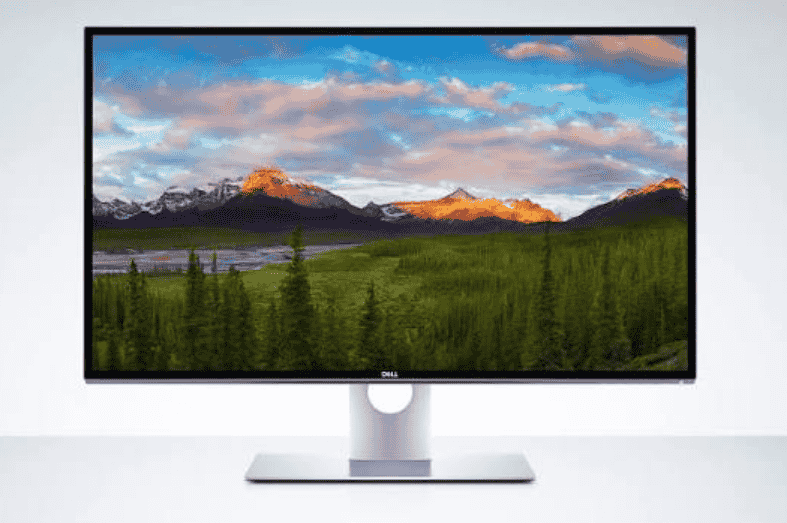
8K screen resolution is a display format of 7680 x 4320 pixels, exactly 33,177,600 of them, which is four times the pixels of 4K and 16 times those of Full HD. It earns its keep on very big displays and in detail-heavy professional work, and rarely beyond that.
- What Exactly Is 8K Resolution in Pixels?
- What Do You Actually Gain From 8K Resolution?
- How Does 8K Compare With 4K, Ultrawide and Dual Monitors?
- Where Can You Actually Use 8K Resolution Today?
- Can the Human Eye Really Tell 4K From 8K?
- Is 8K Worth Using for Gaming?
- Should You Buy an 8K Screen Now?
- Does 8K Give You More Usable Screen Space?
- Is 8K Good for Coding and Office Work?
- Is 8K the Same as 2160p?
- Is 8K the Highest Resolution Available?
- Are 8K TVs Worth It for Movie Fans?
- Will More 8K Content Arrive Soon?
- Is 8K Worth Buying Right Now?
- Is 8K Actually Better Than 4K on a 32-Inch Monitor?
Marketing files this tier under the Ultra High Definition umbrella, which is why buying advice gets muddled so quickly. What actually decides the purchase is viewing distance, the refresh rate you need and your budget, in roughly that order.
My first encounter was an 8K TV in a showroom, and ten minutes of staring at a demo reel convinced me the hype was partly deserved. The people who gain most are movie lovers with a big wall and a dark room, plus creators who inspect fine detail for a living. Everyone else is paying for pixels the eye cannot separate.
What Exactly Is 8K Resolution in Pixels?
8K resolution is a screen grid of 7,680 pixels across and 4,320 down, about 33.2 million pixels in all. That massive resolution dwarfs the 8,294,400 pixels of 4K, whose 3840 × 2160 pixels form a grid exactly a quarter of the size. Some people name 8K by its height instead and call it 4320p.
More pixels should mean sharper image clarity, and ultra-detailed images do hold together when you lean in. The catch is panel size. A 75-inch television gives the pixels room to breathe, whereas a 32-inch 8K monitor squeezes them so tightly that fine text turns tiny until app scaling restores a readable UI size.
Resolution is also not usable workspace, a distinction I wish more spec sheets made. Cinema 4K is listed at 1.90:1, while consumer 8K stays widescreen, and several 8K models still claim to be the highest resolution you can buy.
What Do You Actually Gain From 8K Resolution?
The main gain from 8K resolution is finer detail: smaller pixels, packed four times more densely than on 4K, that make edges cleaner and a picture more convincing on screens big enough to show them.
For a professional review session, that density cuts down on magnification steps. Checking line art, dense maps or a single 8K video frame at native size is far easier, and 8K cameras like the Nikon Z9 supply real source material. Content creators who also handle video editing get better quality masters to inspect.
Entertainment gains are subtler. Marketing talks up an immersive viewing experience, and one comparison pairs 8K with a 22.2 audio channel layout against 5.1 for 4K. In my experience, improved depth and HDR performance change a film more than pixel count, and the same goes for racing games; color accuracy matters more than raw resolution for grading work.
How Does 8K Compare With 4K, Ultrawide and Dual Monitors?
Compared with 4K, 8K delivers four times the detail but not four times the usefulness, and for most desks a larger 4K monitor or a pair of screens solves the real problem better.
The spec gap is simple to list. A 1080p TV shows 1920 × 1080 pixels, 4K is also known as 2160p or 4K resolution, and 8K keeps the 16:9 aspect ratio while its cinema sibling uses 256:135. Power is part of the gap too: system power demand climbs with pixel count, and GPUs struggle to drive it.
Think in tasks, not numbers. Players of competitive shooters will prefer 144Hz to 8K at 60Hz, and a panel type such as IPS often matters more than pixels. For programming and document-heavy general work, the extra vertical space of a taller display wins, while dashboards and window layout suit two 27-inch displays. Even 4K videos look sharp enough on a 4K screen. The table below sums up the trade-offs.
| Option | Best for | Main trade-off |
| 8K monitor | Detail-heavy review | Price and heavy scaling |
| 4K monitor | Everyday mixed use | Less detail than 8K |
| Ultrawide | Timelines and side-by-side apps | Less height than some layouts |
| Dual screens | Keeping tasks separate | Desk space and cables |
Where Can You Actually Use 8K Resolution Today?
Today, 8K resolution is used mainly in cinema projectors, flagship televisions, a few professional cameras and a small number of monitors. The cinema variant, 8K DCI, measures 8192×4320, against the 4096×2160 used for cinema 4K.
On the television side, the extra pixels reward close inspection of three things:
- Fabrics: ultra-fine weave detail stays visible.
- Skin tones: gradients look smoother.
- Landscapes: distant scenery keeps its structure.
That is why a nature documentary is the classic showroom demo, and why fine textures and home cinemas pair so well with big screens.
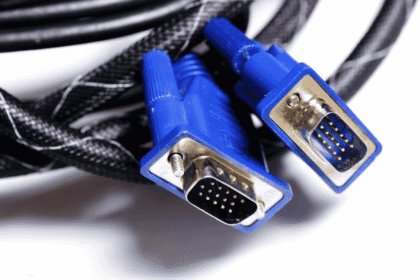
Computers are a harder story. Driving 8K needs GPU headroom, a display interface standard that carries the signal, cable bandwidth to match and extra bandwidth from the source. Consoles such as the Xbox Series X lean on dynamic resolution scaling instead of true native output.
Content is the weak spot: 8K footage and libraries are thin, there are no official plans to make it mainstream, and each new release is still a niche event. Professionals with native 8K assets benefit first, while casual users meet performance issues first.
Can the Human Eye Really Tell 4K From 8K?
A person can see the difference between 4K and 8K, but only when the screen is big enough and you sit close enough to expose it. On a 32-inch pro panel, roughly 275 to 280 pixels per inch is the figure quoted, and the gain shows up in detailed image review, where zooming drops away.
Distance guidance is messy. One vendor guide quotes 9 feet in one place and 7 feet in another for comfortable 8K TV viewing, and KTC puts desk use at 20 to 28 inches, so treat all of them as rough guides. In my experience, stepping up from the 2.1 million pixels of a 1080p screen is easier to notice than stepping from 4K.
One comparison lists a 55-degree viewing angle for 4K and a 100-degree one for 8K, so 8K viewers can sit closer without visible pixels. Whether the picture looks sharper then depends on screen size and room size. On large screens, depth perception and a cinematic feel improve, and a flawless big-screen experience needs a wall that can host them.
Is 8K Worth Using for Gaming?
For most players, 8K gaming is not worth it now; a high-refresh-rate 4K gaming monitor gives smoother motion for far less hardware cost. The PlayStation 5 and its 8K-ready games show 8K arriving at the console end of the market.
PCs are the bigger hurdle. A graphics card must meet the GPU demand of four times the pixels of 4K, and Reolink notes that existing cards like the RX 7900XT and RX 7900 XTX lack support for it. Monitors in this class also draw a continuous 90 to 120 watts.
Motion and image quality matter just as much. Frame rate is the clearest gap: 4K is listed at 50 to 60 fps, and the best TVs quote 8K 120Hz. High Dynamic Range with HDR10+ or Dolby Vision brings higher contrast, and a panel rated 120Hz or higher keeps fast action smooth. VR strains hardware in much the same way, and a good 4K monitor covers nearly all of it.
Should You Buy an 8K Screen Now?
For most buyers, an 8K screen is overkill today, and the safer purchase is a strong 4K display unless you can name the work that needs those pixels.
The money side is blunt. Typical 8K monitor prices run $3,500.00 to $5,200.00, and acquiring one usually means upgrading the rest of the desk as well. The TV pitch of a theatre-like experience and future-proof technology has some truth, yet it rests on content that barely exists.
Specs decide whether the price is justified, and the checks below separate a capable monitor from an expensive one.
| Spec to check | What to look for | Why it matters |
| Calibration | Factory calibration with ΔE under 2 | Predictable colour out of the box |
| Motion | 165Hz or 240Hz panels | Smoother action on screen |
| Latency | Low response time and input lag | Less ghosting and delay |
| Sync | Variable refresh support | Fewer torn frames |
Two more tests save regret. Run your own spreadsheets and browsers at the scaling you will really use, because that is where blurry text shows up first. And if the interest is home security cameras, remember that true 8K models are almost absent; Reolink instead offers a 16 MP dual-lens approach in the DUO 3 PoE and Duo 3 WiFi.
Does 8K Give You More Usable Screen Space?
No, 8K gives you more pixel density, not more usable screen space, because at native scaling the interface elements on a 32-inch panel shrink to a size most people cannot work with. More pixels are not automatically more useful.
Where density does pay off is detail work. 100MP photography, VFX and microscopy reward it, and the pitch of unparalleled visual fidelity is fair when every detail of a frame matters. Within about 24 inches, anyone chasing 200 pixels per inch with 20/20 vision will see the benefit, though eyesight and posture change the verdict; it also cuts panning across giant files.
Everyday tasks lean the other way. Coding, office work and code editors reward window room, so a 16:10 screen, a dual-monitor setup or dual 1440p displays often beat one scaled 8K panel.
Is 8K Good for Coding and Office Work?
For developers, writers and office staff, 8K is rarely the right tool, because a sharp 4K display already gives enough clarity with far fewer scaling headaches. Productivity is a workflow problem more than a pixel problem, and more pixels do not fix multitasking across email, chat, documents and preview windows.
The exceptions are specific. CAD drawing, medical imaging and satellite imagery repay the density, and fine typography reviews do too. For the rest, operating system scaling and patchy application support introduce blur, so a 1440p ultrawide or a 34- to 49-inch ultrawide often serves writing apps and timelines better.
Where you sit also counts. Most desks put the eyes 20 to 30 inches from the screen, so a good monitor arm and sound ergonomics matter more to a long day than a jump in resolution.
Is 8K the Same as 2160p?
No, 8K is not 2160p, because 2160p is the height label for 4K, while 8K is twice as tall. The dimension of 8K is 7,680 by 4,320, double 4K in each direction, which means four times as many pixels in total.
Naming adds confusion: 4K Ultra HD is the familiar tier, while 8K goes by UHD 8K or UHD-2. In practice, 2160p only tells you the vertical line count, so the pixel total is the safer number to compare when shopping. Check the full width-by-height figure before assuming two products match.
Is 8K the Highest Resolution Available?
8K is the top consumer tier on sale today, but it is not necessarily the end of the road. Sold under the name Super Hi-Vision, it was billed as the next big thing after 4K, whose grid is 3,840×2,160.
As a cutting-edge resolution, it still depends on manufacturers to keep building it, and that support is thin. Samsung is the only brand still producing 8K TVs, while LG has ceased production. Any future step beyond 8K would face the same chicken-and-egg problem of hardware without content.
Are 8K TVs Worth It for Movie Fans?
8K TVs give movie fans a more detailed, more immersive picture on big screens. Dense pixels make images look lifelike and three-dimensional, much as cinema movie projection in 8K already does.
For home use, the Samsung Neo QLED QN990F pairs its panel with the NQ8 AI Gen3 Processor, and the wider Neo QLED range follows a similar approach. A reference table lists 120 fps for 8K video, which suits fast camera moves. In my experience the gain is clearest with dark scenes in a dim room.
Will More 8K Content Arrive Soon?
There will probably be slightly more 8K content, but growth is likely to stay slow. Limited content is the core issue: YouTube supports native 8K videos and Samsung TV Plus and other streaming services carry some, yet most creators still upload in 4K.
That is why a good upscaling processor matters. AI processors upscale lower-resolution video by reducing noise and rebuilding missing textures, rather than simply stretching pixels. Even Sony has stopped making 8K TVs, so shoppers should not count on a flood of new native material.
Is 8K Worth Buying Right Now?
For most households, 8K is not worth it yet, because the high price and lack of native 8K content outweigh the visible gain. Premium sets stay expensive, and total ownership adds cables, power draw and wall space.
Weigh your viewing habits and cost honestly. For everyday streaming on a normal budget, the LG C5 OLED EVO with its Alpha 9 AI Processor Gen8 delivers excellent 4K without the 8K premium, and it will not leave you waiting for content that may never arrive.
Is 8K Actually Better Than 4K on a 32-Inch Monitor?
8K can look crisper than 4K on a 32-inch desktop monitor, but it is rarely the better buy. A 4K screen holds about 8.3 million pixels, and a 27- to 32-inch 4K monitor already sits near the point where the eye stops separating them.
Visibility is measured in pixels per degree, and 60 pixels per degree is the commonly cited threshold. One guide says you would need to be inside 2.5 feet of a big TV to separate pixels, so the gain is subtle. For casual streaming and project management tools, the higher price point and scaling issues are hard to justify.