
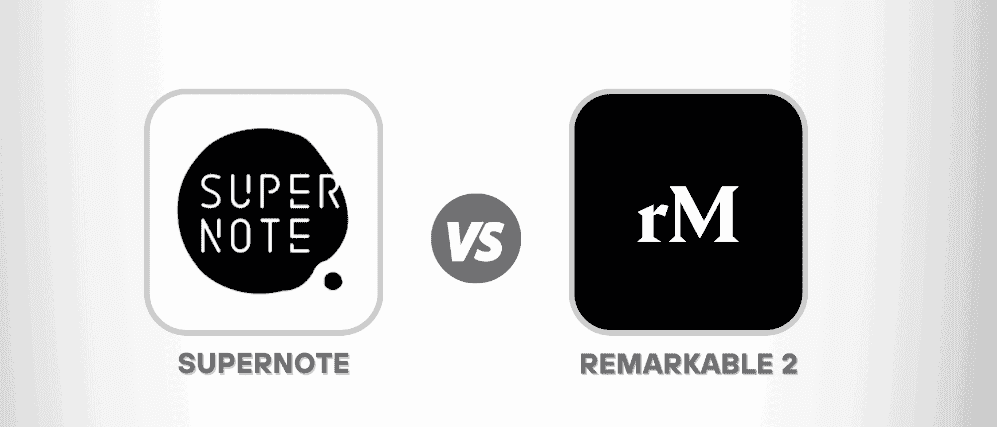
Supernote is the stronger choice for people who want structured notebooks, flexible cloud options and no subscription-locked features, while reMarkable is the stronger choice for people who need colour, keyboard typing or enterprise tools.
- What Do Supernote and reMarkable Have in Common?
- Which Models Does Each Brand Sell, and How Do They Differ?
- How Different Does Writing Feel on a Supernote and a reMarkable?
- Which Note-Taking App Fits Your Workflow Better?
- What Else Can Each Tablet Do Besides Taking Notes?
- How Do Keyboards and Build Quality Compare?
- Where Can Each Tablet Sync Your Notes?
- What Can the Companion Apps Actually Do?
- How Much Does Each Device Cost, Subscriptions Included?
- Can You Repair a Supernote or reMarkable Yourself?
- How Do the Specs Compare Side by Side?
- How Do Enterprise Support and Firmware Updates Compare?
- Which Should You Buy: reMarkable Paper Pro or Supernote Manta?
The two lineups are easy to blur together, so here is the short version. Supernote’s Manta and Nomad run on Android underneath, which is why a Kindle app installs on them. They add Headings/TOC navigation and a private server option for people who want files kept off the internet. reMarkable’s Paper Pro Move, Paper Pro and reMarkable 2 take a plainer path.
reMarkable’s side of the ledger is shorter but sharper. It has the TypeFolio keyboard cover for typing, ISO certified status that corporate IT departments like, and the Connect plan that unlocks extra cloud features. Supernote answers with a modular design that lets owners replace the battery or motherboard themselves. Neither brand wins everywhere, so the sections below take each difference separately.
What Do Supernote and reMarkable Have in Common?
Both brands build a focused digital notebook around minimalism, and neither tries to be a general-purpose tablet.
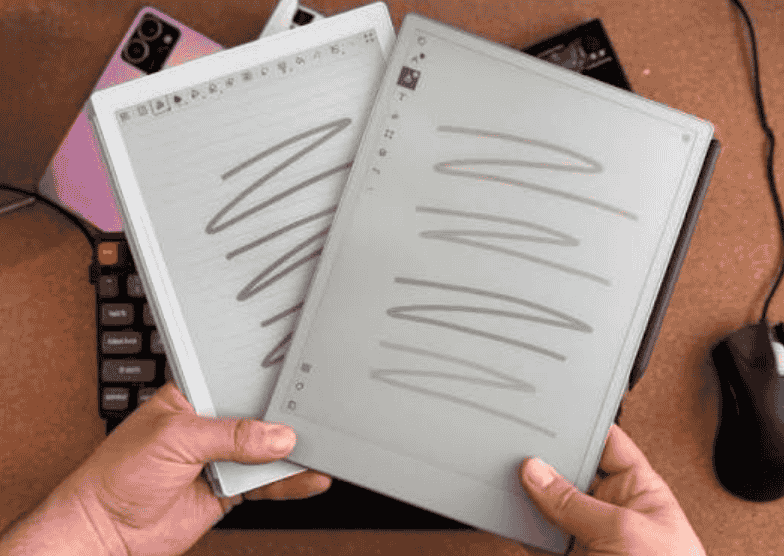
Each company chases a distraction-free, paper-like feel on e-ink. Reading a PDF, marking up pages and writing by hand are the core jobs. The Supernote models and the reMarkable 2 all pair Wacom EMR pen input with monochrome screens. The two even treat books differently: reMarkable opens an EPUB only after converting it, while Supernote reads it natively.
Because the firmware is so specialised, neither brand needs a powerful processor. Battery capacity is the more visible number, with the Manta at 3600mAh, the Paper Pro at 5030mAh and the Paper Pro Move at 2334mAh. Even the headline extras stay narrow. Attorney at Work lists layers as the reMarkable 2’s unique feature and proofreading marks as Supernote’s.
Which Models Does Each Brand Sell, and How Do They Differ?
Supernote sells two monochrome tablets built on one shared motherboard, while reMarkable sells three models, two of them in colour.
The Supernote surface carries FeelWrite soft film, and eWritable compares the sensation to a gel pen on glossy card. Its notebook app offers just three pens, fineliner, ink pen and marker. The greys stop at dark grey alongside light grey, black and white.
Weight separates the lineups: the Manta weighs 385g against 510g for the Paper Pro. Memory differs as well, with 4Gb of RAM on the Supernote pair versus 1Gb on the reMarkable 2 and 2Gb on the Paper Pro. That is a reminder that modest hardware still feels adequate for handwriting. Gear43 credits the Manta’s Android base with an Android marketplace that reMarkable cannot reach. eWritable’s table, however, lists no Google Play Store on any model.
How Different Does Writing Feel on a Supernote and a reMarkable?
Writing on a Supernote feels like a ballpoint pen, while writing on a reMarkable feels pencil-like.
That tactile difference is the first thing to notice for anyone who relies on handwriting for hours. Gear43 adds that the Paper Pro offers far more brush types, including highlighters, and a more life-like pressure sensitivity with tilt. eWritable’s table also lists a paintbrush among the reMarkable’s tools.
The reMarkable 3.0 update improved palm rejection for left-handed writers. The stylus is a separate expense: the Marker Plus costs $80 and is not included. Its magnetic pen dock is weak enough that the Attorney at Work columnist says he knocks the pen off all the time.
Which Note-Taking App Fits Your Workflow Better?
Supernote’s app favours organised, searchable notebooks, while reMarkable’s app favours expressive writing and drawing.
Supernote layers in extra tools. Digest collects reading excerpts, and there is a write-on calendar, a to-do list and Inkflow, which turns the tablet into a drawing pad for a PC. Both brands offer search, but handwriting search requires a subscription on reMarkable while Supernote installs it locally.
Typing is less balanced. A Bluetooth keyboard works with Supernote and you can drop text boxes into notebooks, though a slight input lag appears. reMarkable behaves nearly like a word processor in typing mode. Gear43 credits reMarkable’s beta Methods templates for a smoother templated workflow, but credits the Manta for customization, so the better pick depends on whether you like tinkering.
What Else Can Each Tablet Do Besides Taking Notes?
Supernote bundles reading, calendar, email and drawing tools, while reMarkable keeps only a note-taking app and a document reader.
reMarkable’s restraint is deliberate: fewer tools mean more peace, a point Gear43 makes when contrasting it with the Manta’s email. Both operating systems are specialised. Supernote allows sideloading of third-party apps, but eWritable describes the process as awkward and clearly not the intended use.
Supernote’s separate drawing app, Atelier, offers wider brushes, and the device can mount WebDAV drives. reMarkable’s links to other drives stop at manual import and export, and its integration list even includes Slack.
Both mobile apps can scan: you photograph a paper document and it lands on the tablet for markup. For reading, Gear43’s reviewer keeps a separate Kindle Paperwhite beside his Paper Pro.
How Do Keyboards and Build Quality Compare?
reMarkable has the clear advantage for typing, but its keyboard cover and metal frame make it the heavier device.
Gear43 praises the Paper Pro’s full aluminum body, and eWritable lists it at 5.1mm thick against 6mm for the Manta. That polish has a cost. The Manta’s thinner plastic shell keeps it lightweight, which matters if you carry it every day. reMarkable also offers keyboard covers for some models, and typed text stays editable later in its apps.
Typing is not the only thing you hear. The older reMarkable 2 produces a gently scratchy sound. eWritable says the Paper Pro’s broad nib recalls a crayon or a wax pencil.
Where Can Each Tablet Sync Your Notes?
Supernote syncs with its own cloud plus several third-party drives, while reMarkable syncs automatically only with its own cloud.
Supernote works fully offline without an account, and its apps list includes NetVirtualDisk for network drives. Gear43 says the full reMarkable setup, with unlimited cloud storage and a protection plan, needs the paid tier.
Sync with the reMarkable desktop app and mobile app runs over usbc or wifi, an upgrade from the 3.0 software in 2023. The Attorney at Work columnist reported that his reMarkable 2 struggled to hold a wifi connection at home but worked through a phone hotspot. That is one reviewer’s experience, not a general rule. For regulated work, eWritable notes that Supernote’s private server and HIPAA compliance may appeal.
What Can the Companion Apps Actually Do?
reMarkable’s companion app lets you edit typed text remotely, while Supernote’s app lets you view notebooks and manage tasks and Digest entries.
Supernote’s ecosystem pairs with Supernote Cloud, Google Drive, OneDrive and Dropbox. On reMarkable, the app can create notebooks and edit typed text with basic formatting, but handwritten annotation stays on the tablet in both ecosystems.
Gear43 singles out Supernote’s internal links: you lasso text and link it to another page. The Paper Pro lacks this, and heavy users may find it decisive.
Update cadence differs as well. Supernote’s firmware (3.28) arrives four or five times per year, while reMarkable’s (3.27) arrives monthly, according to eWritable.
How Much Does Each Device Cost, Subscriptions Included?
Supernote has no subscription-locked features, so its cost is the hardware price, while reMarkable adds an optional paid plan on top.
Approximate prices from eWritable’s last check:
| Device | Approx. price (USD) |
| Supernote A5 X2 Manta | $580 |
| Supernote A6 X2 Nomad | $410 |
| reMarkable 2 | $550 |
| reMarkable Paper Pro | $720 |
| reMarkable Paper Pro Move | $500 |
Gear43 puts the Paper Pro a little over $100 above the Manta in base form. Its own test unit passed over $1000 with accessories. reMarkable syncs automatically only with its proprietary cloud.
Reading adds to the budget. Gear43 notes that Amazon recently removed store downloads of ebooks, so reMarkable owners cannot convert purchases to EPUB and may keep a separate Kindle. eWritable adds that reMarkable’s frequent updates are mostly small bug fixes.
Can You Repair a Supernote or reMarkable Yourself?
Supernote owners can replace a failed battery or motherboard themselves, while reMarkable tablets typically have to be returned for service.
The A5-sized Manta and A6-sized Nomad share one motherboard module. Supernote’s ceramic nibs never wear down. reMarkable’s newer models use an active stylus with a cone-shaped nib.
Typical battery life, per eWritable’s spec comparison, varies widely:
| Device | Typical battery life |
| Supernote Manta | 5.5 days |
| Supernote Nomad | 11.1 days |
| reMarkable 2 | 4.8 days |
| reMarkable Paper Pro | 2.6 days |
Weight rises with accessories: the Paper Pro with its keyboard folio reaches 1000g. Where reMarkable pulls ahead is fleet management, with device management and remote wipe tools.
How Do the Specs Compare Side by Side?
The Supernote Manta has the sharper panel at 300PPI, while the reMarkable Paper Pro has the larger screen at 11.8″.
Supernote’s panels, Mobius Carta on the Manta and plain Carta on the Nomad, stay monochrome. The Paper Pro and the 7.3″ Paper Pro Move use Gallery 3 colour panels. The Manta’s 1920 × 2560 resolution compares with 1620 x 2160 (229PPI) on the Paper Pro.
Software specs matter too. Supernote keeps reflowable text in EPUB files, and only Supernote lists a replaceable battery. It also works fully offline, and its lack of paywalled features keeps the ongoing cost lower.
Reviewer ratings split along the same lines. Gear43 gave the Paper Pro 4.7 and the Manta 4.9, then called overall value a tie.
How Do Enterprise Support and Firmware Updates Compare?
reMarkable is the stronger choice for corporate deployments, while Supernote suits individuals who care about privacy.
Both companies keep a slow hardware refresh cycle, releasing devices every three or four years. That puts the emphasis on software refinement and long-term support. reMarkable’s paid plan adds user management, and ISO certification helps corporate approval. Supernote’s option to self-host its cloud speaks to data sovereignty.
Pen response has improved through software. Attorney at Work credits the 3.0 release with cutting latency. A YouTube test by Vojislav Dimitrjevic measured the reMarkable 2 at 27.10 ms, ahead of the Papyr at 42.40. Every reMarkable change appears in public release notes, and Gear43 says Supernote offers free updates with no ongoing software cost.
Which Should You Buy: reMarkable Paper Pro or Supernote Manta?
Choose the Supernote Manta if you want customisation and extra features, and the reMarkable Paper Pro if you want a polished, simpler device.
Gear43 splits the audience cleanly. The Paper Pro suits someone who is not tech-oriented and wants a focused tool, the sort of buyer who picks an iPhone for the sake of an iPhone. The Manta suits the person who buys an Android phone to customise it. Both eWritable and Gear43 name a daily driver: the Manta, in eWritable’s case (10.7″, with the 7.8″ Nomad as its small sibling), and the Paper Pro, in Gear43’s.
On the display, the Paper Pro has a frontlight and the Manta does not. For typing, the Paper Pro can use its keyboard folio, while Supernote relies on a third-party keyboard that is not optimised. reMarkable Connect costs $2.99 a month or $29.90 a year per Gear43. Supernote’s organisation relies on stickers and star marks, though its built-in email client can pull focus. eWritable also finds that reMarkable customer support replies faster while Supernote’s replies are more thorough.
- Offline and cost: Supernote works fully offline and has no paywalled features.
- Colour, typing and enterprise: reMarkable leads on colour screens, keyboard integration and corporate tools.
- Books: Supernote runs the Kindle app, while reMarkable reads only EPUB and PDF.